1
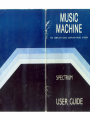
RAM Electronics and FIare Technology thank you for choosing one
of our products; we hope that you have as much fun using The Music
Machine as we did designing and building it.
CONTENTS
About RAM:
RAM Electronics are manufacturers of a wide range of computer
peripherals. Perhaps they..are best known to you for their successful
Spectrum Turbo joystick interface? If you want to know more about
their ,other Spectrum hardware, just look out for their adverts in the
home computer press or drop them a line at the address below.
O.
CAN'T WAIT TO TRY IT, HOO? •••••.. ...•.•••••••••. •••••••••
For the experienced only!
1
1.
INTRODUCTION ••. •••••.• .•..•.••••••• .••••. .•..••....
What The Music Machine can do
2
2.
PLUGGING EVERYTHING TOGETHER
How not to get your wires crossed
5
About Fiare:
AH of the people who work for FIare used to work for Sinclair
Research, so is it any wonder that The Music Machine (which FIare
designed) is so good? Look out for future exciting products from this
team.
Connecüng The Music Machine to your
Spectrum
2.2 Plugging in The Music Machine and an
amplifiet or headphones; where to put your
microphone
2.3 Loading the software from tape
2.1
PIease remember to complete and return the guarantee card which is
enclosed with The Music Machine. Not only willdoing this help you
(see your rights as a purchaser on the card), but it will enable us to
keep you informed of additions to the range of Music Machine
software from time to time. Thank you.
Whilst we have made every effort to ensure that the contents of this
manual are accurate, we reserve the right to make hardware and
software improvements from time to time.
3.
l
¡
\
1986 RAM Electronics (Fleet) Ltd
1986 FIare Technology Ltd
iD
RAM Electronics (Fleet) Ud
Unit 16, Redfields Industrial Park,
Redfield Lane, Church Crookham,
Aldershot, Hants GU13 ORE
10
3~ 1
:('
iD
GETTING STARTED QUICKLY
How to start making sounds before reading the rest of
thismanual
P1aying the sounds, rhythms, and songs supplied
on the software cassette
3.2 Some quick experiments for making your own sounds
4.
DETAILED DESCRIPTIONS OF WHAT DOES WHAT
How to get your sounds, tunes and songs together
4.1
4.1.1
4.1.2
4.2
4.2.1
4.3
4.3.1
4.3.2
4.4
P1aying using the Spectrum keyboard
The bar editor
The tune editor
The drum machine
The rhythm editor
Recording real·life sounds
Editing captured sounds
The tw~voice synthesiser
P1aying using an external keyboard
18