1
3. Dr.Web LiveCD Graphic Shell
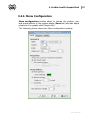
Actions tab
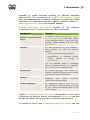
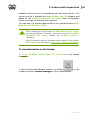
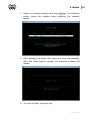
The following picture shows the Actions tab:
On this tab, you can set automatic actions upon different types of
computer threats if a necessary action is not to be selected
manually.
You can select one of the following actions for different types of
threats:
Cure (available only for infected files) - instructs to try to cure
the object infected by a known virus. If the attempt fails (for
example, the object is incurable), the action set for incurable
files is to be applied. By default, this action is set for all infected
files;
Delete - instructs to delete the infected or suspicious file;
Move - instructs to move the infected or suspicious file to the
Quarantine folder. By default, this action is set for incurable files;
Report - instructs to inform the user about detected threats
on the Results page. In this case actions upon detected files
are to be applied manually. By default, this action is set for
suspicious and supposedly infected files, for example, hacker or
joke programs;
User Manual
41