1
Table of Content
Getting to Know Your Switch ........................................................................ 3
1.1
About the IES-1005T Industrial Smart-Ring Switch ................................................. 3
1.2
Software Features .................................................................................................... 3
1.3
Hardware Features................................................................................................... 3
Hardware Installation ..................................................................................... 4
2.1
Installing Switch on DIN-Rail .................................................................................... 4
2.1.1
2.2
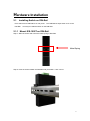
Mount IES-1005T on DIN-Rail ............................................................................. 4
Wall Mounting Installation ........................................................................................ 5
2.2.1
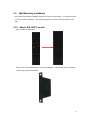
Mount IES-1005T on wall ..................................................................................... 5
Hardware Overview ........................................................................................ 6
3.1
Front Panel ............................................................................................................... 6
3.2
Front Panel LEDs ..................................................................................................... 8
3.3
Bottom Panel ............................................................................................................ 8
4.1
Ethernet Cables ........................................................................................................ 9
4.1.1
100BASE-TX/10BASE-T Pin Assignments .......................................................... 9
WEB Management........................................................................................ 11
5.1
Configuration by Web Browser ............................................................................... 11
5.1.1
About Web-based Management ......................................................................... 11
5.1.2
Basic Setting ...................................................................................................... 13
5.1.2.1
Switch setting ............................................................................................ 13
5.1.2.2
Admin Password ....................................................................................... 14
5.1.2.3
IP configuration ......................................................................................... 14
5.1.2.4
SNTP Configuration .................................................................................. 16
5.1.2.5
LLDP ......................................................................................................... 18
5.1.2.6
Dip Setting ................................................................................................. 19
5.1.2.7
Backup & Restore ..................................................................................... 19
5.1.2.8
Upgrade Firmware..................................................................................... 20
5.1.3
Port Configuration .............................................................................................. 20
5.1.3.1
Port Control ............................................................................................... 20
5.1.3.2
Port Status................................................................................................. 21
5.1.4
Redundancy ....................................................................................................... 22
5.1.4.1
Fast Recovery Mode ................................................................................. 22
1