1
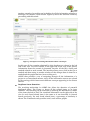
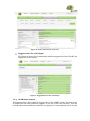
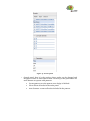
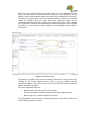
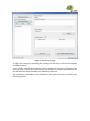
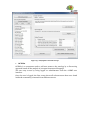
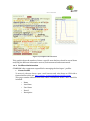
Here the list of messages for that user is shown. The date/time of the notification, the detected pattern and the content of the message are described for each message. Figure 12: Message box for a user Pattern designer By this tab, the Panteon editor is accessible. Here the user can define new patterns for notification. There are two different tabs to perform the actions: Pattern designer tab, that it is composed of different panels: o Node panel: It is situated on the left side of the screen, where all nodes that can be chosen by a user to create patterns are shown. The node connections are divided into different categories: Events: simple events from source tools, NewCommit, New Issue, NewMail, NewPost, etc. such as Complex Events: events created as a result of the situation of interest defined in Panteon. Complex events can be used as an input for their events as well. Some specific complex events can be used in order to trigger other ALERT components, i.e. for real-time duplicate detection or developer recommendations. Operation: logical connectors. Connectors.