1
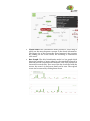
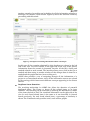
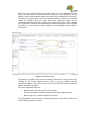
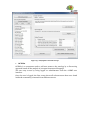
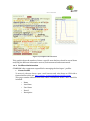
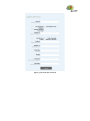
1 ALERT User manual This section contains the user manual regarding the integrated UI of the ALERT system components and other components that have their own UI. It is divided into two different subsections: Quick start guide: A short step-by-step guide to perform the main processes offered by ALERT. User manual: the manual as itself. This section corresponds to the first prototype of the ALERT integrated UI, and an updated version will be delivered with the second prototype. 1.1 Quick start guide 1. Open a web browser. 1.1. Write down the correct URL to access (http://server_ip:port/AlertUI) 2. To perform searches select the tab more according to your needs. 2.1. General search: Look for bugs in different information sources 2.1.1. Enter one or more keywords 2.1.2. Select a range of dates 2.1.3. Choose one to all information sources where the search will be performed 2.1.4. Click on the Search button. 2.2. Duplicate issue detection: Find duplicated or very related issues 2.2.1. Enter the ID of an issue 2.2.2. Select the state of the related issues to be found 2.2.3. Click on the Search button 2.2.4. Issues will be ranked by similarity. 2.3. Issues related to my code: Find issues related to your own submitted code 2.3.1. Select the status of the issues to be found 2.3.2. Click on the Search button. 2.4. Suggest issues for a developer: Look for the most appropriate developer to assign an issue 2.4.1. Enter the developer’s name 2.4.2. Click on the Search button 2.4.3. Select one or more issues from the list that the user might be able to fix.