1
MITECH
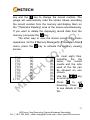
2) Use the
key and the
transducer model.
key to switch to the desired
3) Press the
key to exit.
You can also change the transducer model set by menu
operation. Please refer to chapter 5 for the help of menu
operation.
4.3 Probe Zero
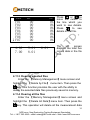
The
key is used to “zero” the instrument in much
the same way that a mechanical micrometer is zeroed. If the
gauge is not zeroed correctly, all the measurements that the
gauge makes may be in error by some fixed value. When
the instrument is “zeroed”, this fixed error value is measured
and
automatically
corrected
for
all
subsequent
measurements. The instrument may be “zeroed ” by
performing the following procedure.:
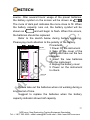
1) Make sure the instrument is on and the Two-Point
calibration function is OFF. The Probe-Zero function is
disabled in Two-Point calibration mode.
2) Plug the transducer into the instrument. Make sure that
the connectors are fully engaged. Check that the
wearface of the transducer is clean and free of any
debris.
3) Change the model of the transducer set in the
instrument to the model currently using.
4) Apply a single droplet of ultrasonic couplant to the face
21
NDTzone • Non-Destructive Testing Equipment Specialists
Tel.: +1.877.363.4243 • eMail: sales@NDTzone.com • Web: www.NDTzone.com