1
MITECH
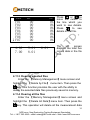
On the 【Test Set】->【Resolution】 menu item, press
the
key to switch between “High” and “Low”.
4.10 Unit Scale
On the 【Test Set】->【Unit】 menu item,press the
key to switch back and forth between Engilish and metric
units.
4.11 Memory Management
4.11.1 Storing a reading
There are twenty files (F00-F19) that can be used to
store the measurement values inside the gauge. At most 99
records can be stored to each file. The following procedures
outline this process:
key to activate the 【File Name】item on
1) Press the
the main measurement screen.
2) Use the
key and the
key to select the desired
file to save the data.
3) After a new measurement reading appears, press the
key to save the measurement value to current file.
If the 【 Auto Save 】 function is enabled, the
measurement value will be automatically saved to current
file after a new measurement operation.
4.11.2 Viewing stored readings
Press the
key multiple times until the 【Record No】
area On the measurement screen is highlighted. Use the
32
NDTzone • Non-Destructive Testing Equipment Specialists
Tel.: +1.877.363.4243 • eMail: sales@NDTzone.com • Web: www.NDTzone.com