1
Technical Reference Manual DC-100 1.1
4.2.9 GPI
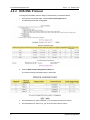
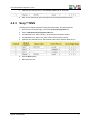
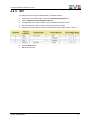
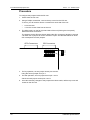
To configure the GPI using the web browser, proceed as follows:
1. From the DC-100 Home Page, click on the Protocol Assignment link.
2. Click on Edit Protocol Assignment Table link.
3. On Channel #1 line, select “Serial_1” in the Physical Connector column.
4. On Channel #1 line, select “vtally” in the Control Protocol column
5. (optional) On Channel #1 line, edit “Channel Label” column field as “GPI V TALLY”
6. Click the Save button.
7. Reboot the DC-100.
System Configuration
15