1
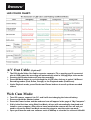
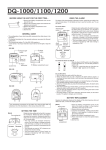
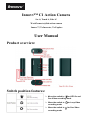
LED COLOR CHART: A/V Out Cable (Optional): The RCA Audio/Video Out Cable connects camera to TV or monitor and if connected also to USB power the recording will automatically start in 1080p@30fps video mode. Pressing the Shutter button will stop the recording. Press the Mode button to cycle through the 4 LED color choices to select 3 different Recording modes (Red, Green, Orange) or the Playback mode (Red/Green). Under Playback mode, press Shutter and Power buttons to scroll up/down recorded videos. Web Cam Mode: Turn Off camera, connect it to PC, and it will start charging the internal battery. Press and hold the Shutter button. Press the Power button and the webcam icon will appear in the page of “My Computer”. If this is the first time using Web Cam Mode, drivers will automatically download and install to your computer. After drivers have installed the camera will turn off and you need to repeat the Web Cam Mode connecting steps to start the web cam mode. Open your favorite web cam software such as AMCap to view the live video at 640x480.