1
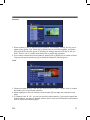
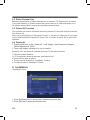
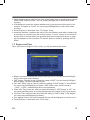
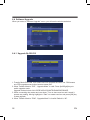
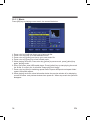
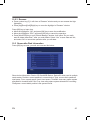
3. Video Output is use for switching the video output mode. Now we provide below options:
CVBS+RGB, CVBS+S-Video,. You can press [Left/Right] key to select each mode
circularly.
4. LCN Mode can control the channel whether sort by the sequence information in the
streams. The option is: On/Off. You can press [Left/Right] key to select each mode
circularly.
5. Press [Exit] key to draw back from “TV System” menu.
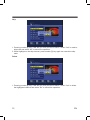
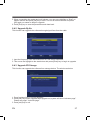
6. Automatic Standby: It switches the device off to the Standby mode after a certain time
of inactivity (no command from the remote control) - 3 hours, 4 hours, 8 hours and off.
Several tens of seconds before the specified time and turning off the device, a message box appears on the connected TV with the option to cancel by pressing the Exit
button.
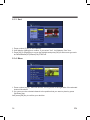
7.3 Region and Time
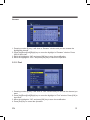
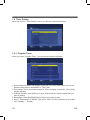
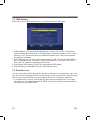
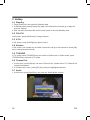
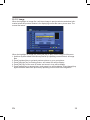
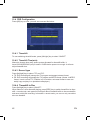
When you enter to “Region & Time” menu, you will see window like below:
● Region is used for selecting the country which you are in. You can press [Left/Right]
key to select each mode circularly.
● GMT Usage: This item is use for open the usage of GMT. You can press [Left/Right]
keys to switch “Off/User Define/By Region”.
● The “GMT Offset” item is valid only when the setting of “GMT Usage” is “User Define”.
You can press [Left/Right] keys to switch “GMT Offset” value, and the range is
“-12:00 ~ +12:00”, increase each half hour progressively.
● “Date” and “Time” items are valid only when the setting of “GMT Usage” is “Off”. You
can press [Left/Right] keys to moving highlight and use number keys to input directly.
● “Summer Time” items are valid only when the setting of “GMT Usage” is “By Region”.
You can press [Left/Right] keys to switch.
● Time display function can control whether the time will be displayed on screen or not.
● Press [Exit] key to draw back from “Time” menu.
EN
19