1
6028-RC Series 1U Control Panels
www.snellgroup.com
RC Mode
Worked Example:
a
For this example, position the button focus such that the top left button (number 1
on row 1) is highlighted.
b
Enter 16 in the Number to Fill field.
c
Select Across from the Implement Type section.
d
Select Source from the Autofill Button type.
e
Click on the Fill button.
The first 16 buttons display with Source n on the button.
The button focus will already be positioned over the next button in turn (number 17 on
row 1, in this example).
f
Select Page:Src:Down from the drop-down list.
g
Move the focus to number 18 in row 1, and select Page:Src:Up from the
drop-down list.
h
Move the button focus to the first button in row 2.
i
Select Destination from the Autofill Button type.
j
Click on the Fill button.
The first 16 buttons on the second row, display with Dest n in the button. When the
panel is fully configured these button will display destination.
The button focus will already be positioned over the next button in turn (number 17 on
row 2, in this example).
k
Select Page:Dest:Down from the drop-down list.
l
Move the focus to number 18 in row 1, and select Page:Dest:Up from the
drop-down list.
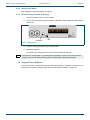
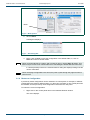
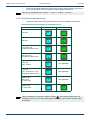
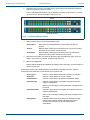
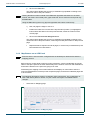
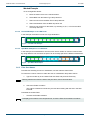
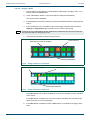
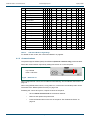
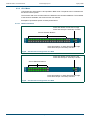
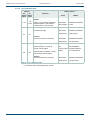
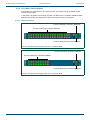
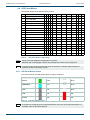
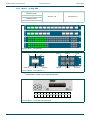
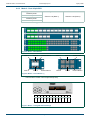
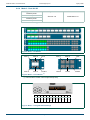
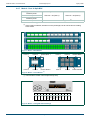
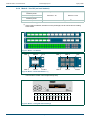
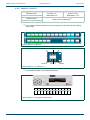
The mapping in this example displays as in Fig 45. This figure also shows how this
may be represented on the control panel itself once configuration is complete:
16 Sources /
16 Destinations
Page Up/Down
Fig 45. XY Mapping on an LCD Control Panel
Issue 1 Rev 2
m
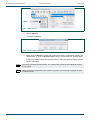
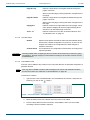
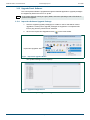
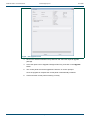
In the Source Page Configuration section, set page the Page in View to 1.
n
Position the Index Focus such that the top left index (number 1) is highlighted.
Index buttons are filled in from this point forwards, within the confines of the
current page.
o
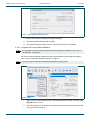
In AutoFill, set the Start Port to 1.
Page 39
© 2014 Snell Limited