1
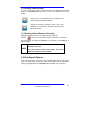
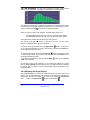
Display Event Markers ‘underlines’ all areas of ECG which you have marked as
an event. This is useful when reviewing your analysis.
Display RR Intervals displays the interval in milliseconds between consecutive
detected beats. The standard configuration does not display this at smaller zoom
ranges, to avoid overcrowding the display.
Display Channel Delineation Lines draws a line under each ECG row. You may
find this makes viewing easier.
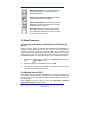
To change the size on screen of the Polarity Icon (‘cal pulse’ indicating normal or
inverted ECG), or the recording Time annotation, click the Icon/Font tab, then
choose the setting you require.
You can save any changes permanently by checking the Save Settings box.
4.11 ECG Gain and Polarity
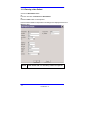
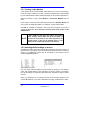
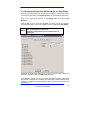
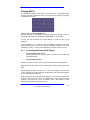
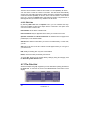
Selecting ECG Display Settings from the Options menu will display the ECG
Display Settings dialog box. You can also display this dialog box by pressing the
Display Settings
button on the toolbar.
Here you can make adjustments to the way ECG is displayed, and you can make
individual changes for each ECG channel by selecting the appropriate ‘tab’. You
can save your new settings permanently by checking the Save Settings box. You
can adjust the Gain for each channel, in steps from x1/4 to x4. These changes do
not affect the detection of beats, but have a big effect on the clarity of the ECG on
the screen. You may want to use normal or lower gain when first reviewing the
ECG, so that more can be displayed, then increase the gain in areas of interest,
to reveal any important detail in the ECG. The Vertical ECG Offset control
moves the ECG up or down. Use this adjustment to bring a region of ECG back
into view, if it is affected by baseline wander. (You would not usually save this
setting). Too much baseline wander indicates poor hook-up and skin preparation!
Check the Invert Polarity box to invert the ECG in that channel.
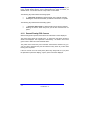
Under the Settings tab, you can change the Zoom size of the display, in steps
from x1/8 to x4. You can also zoom the display by pressing the + and – keys on
the keyboard, or by double-clicking in the ECG. Increase the Zoom setting to
magnify a region of interest, or reduce it to display more ECG.
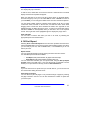
The ECG Display settings select which channels of ECG appear on the screen.
Normally all 3 channels are on view, but you can switch off any channel which is
unusable, or perhaps have only one channel displayed for maximum clarity. You
can also switch channels on/off by clicking the square ‘Cal Pulse’ symbols on the
left side of the display, or by pressing the 1, 2 and 3 keys on the keyboard (each
press turns that channel on/off).
38
18-0020 Rev. C