1
CRYSTAL CONSOLE GUIDE
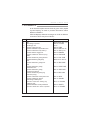
14. Distance upto 30 feet between OPCON and system
allowed.
15. Operator absent/present mode.
3. INSTALLATION
The installation process is divided broadly in two parts.
3.1 Hardware installation
During this process the system must be kept in power
OFF condition. The various steps to be followed are
as follows :
2
1.
After switching off the system, wait for approx. 10 sec
to allow the power supply to discharge completely.
2.
Lay the OPCON cable from the EPBAX to the OPCON.
The cable end with two loose wires for MDF is to be
connected to the EPBAX side and the other end is
to be connected to the OPCON.
3.
Select any unused extension to be used as operator
extension.
4.
Use a small piece of telephone cable to connect the
MDF with the loose wires coming out from the cable
(polarity of the cable may be ignored). The joints made
should be proper with twisting and soldering with good
quality insulation tape to prevent any type of shorting.
5.
At the reception area provide a convenient place for
the OPCON on the desk facing the operator.
6.
Route the OPCON cable from the system properly.
7.
Connect the cable to OPCON and put screws to avoid
disconnections.
8.
Connect the handset to the OPCON.