1
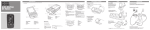
Figure 2 Windows Mobile install icon. 3. Inspect Table 1 above for your device and determine if the default keys are appropriate for the users and device. 4. If default values are not appropriate for either the device or the users, follow the procedure for updating the values as defined in “TEAM Express 1.1 Solution Installation and Configuration Guide” at https://docs.symbol.com/manuals/68009265001-RevC.pdf WLAN Configuration Multicast rates on the access point (AP) configuration should be optimized. There is some variation between manufacturers (Cisco, Motorola Solutions etc). Customers should use the following guidelines to set the multicast rates on their APs to optimize performance. Multicast Rate Selection 1. Choosing a Multicast rate Team Express uses multicast distribution to implement Group Call. In contrast to unicast mode, each AP in the ESS transmits the multicast packet once (no retries), at a fixed rate. Choice of Multicast rate is similar to picking a Beacon rate, and should strike a balance between: a. Lower rates propagate further. Multicast Tx rate should be low enough for a reception rate of at least 90% anywhere within a cell, by all of the target mobile devices. b. However, a Multicast rate lower than necessary wastes airtime, and contributes to co-channel interference. 2. Setting the Multicast rate The Multicast rate policy varies with AP vendor, but usually cues on the Basic Rate settings. Two examples: a. Motorola Solutions WLAN infrastructure: The Multicast rate is the lowest basic rate. b. Cisco: Multicast rate is different for the Wireless Controllers and standalone APs. According to Cisco (http://www.cisco.com/en/US/docs/wireless/access_point/ios/release/notes/12_410b_JA1rn.html) “Access points running recent Cisco IOS versions are transmitting multicast and management frames at the highest configured basic rate.” “Access points running LWAPP or autonomous IOS should transmit multicast and management frames at the lowest configured basic rate. If reliable reception is a goal, then multicasts should be transmitted at a low data rate.” 3. Summary Determine how the Multicast rate is derived, typically from the Basic Rate settings, for the specific vendor, model, and firmware Rev in play. Then, apply section 1.1 above. a. Quick start Use just 1 basic rate. Start with 24Mb/s basic, and adjust downwards for good performance. As a safety margin, drop the rate one more step. 2|Page Motorola Solutions Confidential Restricted