1
Appendix A
Appendix A:
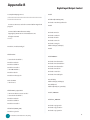
Programming Watchdog
Timer
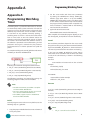
A watchdog timer is a piece of hardware that can be used
to automatically detect system anomalies and reset the
system (or one pair of network ports in bypassed state;
However, only one function can be activated at a time.)
in case there are any problems. Generally speaking, a
watchdog timer is based on a counter that counts down
from an initial value to zero. The software selects the
counter’s initial value and periodically restarts it. Should
the counter reach zero before the software restarts it,
the software is presumed to be malfunctioning and the
processor’s reset signal is asserted. Thus, the processor
will be restarted as if a human operator had cycled the
power.
For sample watchdog code, see wd_bp folder under Driver
and Utility on the Driver and Manual CD
Programming Watchdog Timer
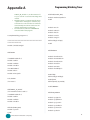
2. Set the access mode with these two parameters
by editing the Makefile.linux directly: DIRECT_IO_
ACCESS= [0|1] (enter either 1 or 0) and LANNER_
DRIVER= [0|1] (enter either 1 or 0). 1 is for direct access
and no driver is needed. You will only need to execute
the program directly. However, when it equaled to 0,
driver installation is needed. Refer to the following
Install section for more details.
3. Type make to build source code:
make Makefile (Note: omit the file extensions)
After compiled, the executable program (bpwd_tst) and
the driver (bpwd_drv.ko) will be in the bin subdirectory.
Install
The installation procedures depend on the access mode
that you have set by using the above mentioned method.
If you have set DIRECT_IO_ACCESS=1, driver installation is
not necessary. Proceed to the next section on executing
If you have set DIRECT_IO_ACCESS=0, Lanner bypass
driver needs to be installed. Install the driver and create
a node in the /dev directory as shown in the following
example:
For Linux:
Executing the commands through the Command Line:
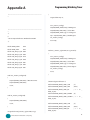
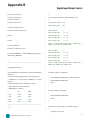
1. wd_tst --swtsr (Set Watchdog Timeout State to Reset)
2. wd_tst --swt xxx (Set Watchdog Timer 1-255 seconds)
3. wd_tst[*] --start (Start Watchdog Timer)
4. wd_tst --stop (Stop Watchdog Timer)
The following procedures are required for running the
watchdog program on DOS, Linux and FreeBSD.
Note:
1. For DOS environment, use DJGPP as compiler
and the makefile: Makefile.dos.
2. For Linux, support kernel versions are 2.4.x and
2.6.x. Use the makefile:Makefile.linux.
3. For FreeBSD, support version is FreeBSD 8.0.
Use the makefile: Makefile.
Insert module and create node in /dev as below
example:
#insmod wd_drv.[k]o
#mknod /dev/wd_drv c 241 0
For FreeBSD:
Insert module as below example:
#kldload -v ./wd_drv.ko
Execute
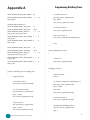
# wd_tst --swtsb (Set Watchdog Timeout State to Bypass
function)
# wd_tst --swtsr (Set Watchdog Timeout State to Reset
function)
# wd_tst --swt xxx (Set Watchdog Timer 1-255 seconds)
Build
# wd_tst[*] --start (Start Watchdog Timer)
To build program source code on Linux platform, use the
following steps as a guideline:
# wd_tst --stop (Stop Watchdog Timer)
Note:
1. Copy the proper makefile from the Driver and Manual
CD to your system
Embedded and Industrial Computing
1.
wd_tst --start will not be available if
21