1
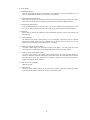
B. FUNCTIONS
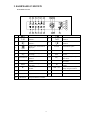
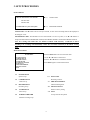
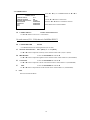
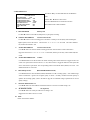
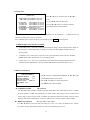
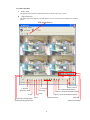
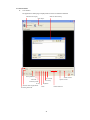
B-1 File Open
Open a MYS file by clicking the File Open Button.
B-2 Playback
Automatically displays beginning of recorded video stream and allows selection of video frames or
playback streams within the designated valid stream range.
B-3 Channel Selection
The default screen display channel setting is ALL CHANNELS, which displays up to all four
channels simultaneously. Single channels can be selected from the individual channel buttons.
B-4 Capture Current Stream Button (BMP)
To capture a BMP. image, press the Capture Current Screen button. This will capture the current
screen and save it as BMP file to the user designated folder location in the setup settings.
B-5 Volume Control
Enable/disable audio sounding by clicking “MUTE” button and adjust volume by adjusting Volume
slider bar.
B-6 Position Slider Bar
Scan images using the Slider Bar.
B-7 MYS File Info. Display Button
Displays File Name, Video Mode, File Size, and Frame Count & Current Position at upper left
corner.
21