1
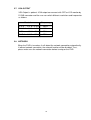
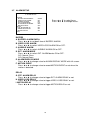
3.8 EVENT LIST
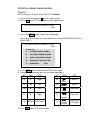
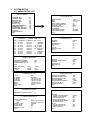
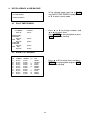
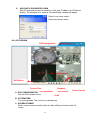
6. EVENT LIST
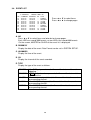
MASTER PAGE : 001
NO YY/MM/DD HH:MM:SS CH
01
05/10/10
00:01:00
-02 05/10/10
00:02:00
-03 05/10/10
00:03:00
01
04 05/10/10
00:04:00
02
05
05/10/10
00:05:00
03
06
05/10/10
00:06:00
-07 05/10/10
00:07:00
-08 05/10/10
00:08:00
01
09 05/10/10
00:09:00
02
TYPE
POWER
RECORD
V.LOSE
ALARM
MOTION
POWER
RECORD
V.LOSE
ALARM
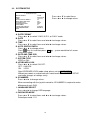
Press
Press
or
or
to select items.
to change pages.
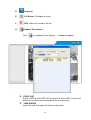
A. NO
Press
or
to select items and
or
to change pages.
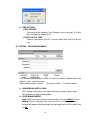
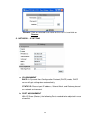
Each HDD can record 3000 events, so two HDDs can record 6000 events.
On the screen, MASTER or SLAVE of the event list is displayed.
B. DD/MM/YY
Display the date of the event. Date Format can be set in SYSTEM SETUP.
C. HH:MM:SS
Display the time of the event.
D. CH
Display the channel of the event recorded.
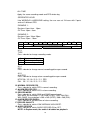
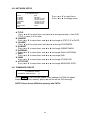
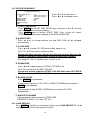
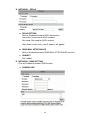
E. TYPE
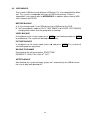
Display the type of the event as follows.
POWER
If the DVR got power loss, it will record the date and time of
rebooting.
RECORD If REC. button has been pressed, it will record the date and time
in the event list.
V.LOSE
When a camera signal is lost, it will record the date, time, and
corresponding channel.
ALARM
When ALARM is triggered, it will record the date, time, and
corresponding channel.
MOTION When MOTION is detected, it will record the date, time, and
corresponding channel.
20