1
PPS OVERVIEW
Accessing Inquiry Functions of the EDB
Departmental EDB Inquiry Menu
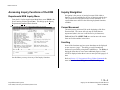
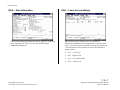
From the SC On-line Applications Main Menu, enter IDDB in the
Next Function field and press Enter. This brings up the Inquiry
Departmental Database Menu function.
INQUIRY DEPARTMENTAL DATABASE MAIN MENU FUNCTION.
Inquiry Navigation
Navigation is the process of moving between fields within a
function. It is accomplished by the use of function codes & keys.
The system has been designed to meet certain standards. It is
expected that users will have the following keyboard functions
available:
Cursor Movement
The initial cursor position will be at the beginning of the Next
Function field. The cursor will only stop on fields that are
unprotected (that is, the user is allowed to key in characters).
TAB and Back Tab (SHIFT/TAB) are used to move the cursor
from one field to another in the footer.
Scrolling
Some of the functions may have more data than can be displayed
on one screen or “page.” The ability to scroll forward and
backward is provided by using the F7 and F8 keys. The F8 key is
displayed when there is one or more additional page(s) of data,
and F7 is displayed when there is one or more previous page(s) of
data.
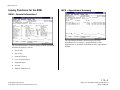
On this Menu you may select any of the Inquiry functions.
Refer to Section 1.5, Navigation & Entry/Update Commands for
more information about Navigation and Function Keys.
1.10—2
Payroll/Personnel System
June 2004, University of California, Santa Cruz
Inquiry for the EDB and Payroll Audit Record
PPS User Manual