1
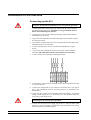
First Installation of the SPT32 Software
1. Start your PC.
2. Insert the SPT32 CD ROM into CD ROM drive.
3. If the program doesn't start automatically, do as follows:
4. Press Start button an Run.
5. Type in D:\autorun.exe (or name of CD ROM drive:\autorun.exe).
6. Press Enter.
7. In the main menu select Software and then SPT32.
8. Follow the instructions in the setup program.
9. The setup program will ask for "Machine Adjustment" . Please insert this
disk into floppy drive A:.
10. Please configure Windows &"Chapter, PC connection / settings".
Update SPT32 Software
1. Start your PC.
2. Insert SPT32 Installationdisk 1. into drive A: or CD ROM into CD ROM
drive and do as follows:
3. Press Start button.
4. Run.
5. Type in A:\setup (or name of CD ROM drive:\setup).
6. Enter.
7. Follow the instructions in the setup program.
8. During the installation, setup will ask for the "Machine Adjustment"
disk. Do not fit the disk into drive A:, just click OK. (If you do insert a
disk you will overwrite the actual machine setting)
9. The SPT32 readme.txt file in the "SPT32" directory contains special
instructions. This informative text file should be read once the
installation is completed.
GUNNAR 601 User Manual
Installation • 13