1
GPS Tuner
version 5
– Users’ Manual
9
GPS Settings
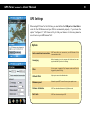
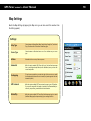
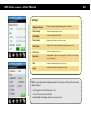
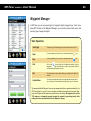
When using GPS Tuner for the first time, you must define the COM port and Baud Rate in
order for the GPS Receiver and your PDA to communicate properly. If you choose the
option “Configure it!”, GPS Tuner will try to find your Receiver. In this case, please be
sure to turn on your GPS Receiver first!
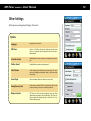
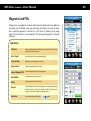
Options
Auto connection/reconnection
GPS Tuner will try to reconnect to your GPS Receiver if the
communication is lost.
Averaging
When Averaging is on, the program will collect and use averaged coordinates if you are not moving.
Filter
If this option is enabled, Trip Computer works and Track is
logged only when PDOP<15.
Altitude Offset
Helps you to correct the altitude value
Minimum speed
Below this speed GPS Tuner will convert your speed to zero.
Distance Calculation
GPS Tuner calculates distances in 2D/3D/Auto mode
Port: Auto
GPS Tuner tries to search your GPS