1
B
B-3
Color Management
You need to account for the gamut of your print device when designing on a
color monitor. When printed, colors that fall outside the print device gamut
are “mapped” to printable colors. This process, referred to as gamut
mapping, takes place when color data is converted or adjusted to meet the
gamut requirements of a print device.
The iR C2100/2100S is specially designed to perform gamut mapping at
high speed with high quality results. It provides these color management
features automatically, using either built-in default settings or settings that
you specify for a particular print job. For added flexibility, the iR C2100/
2100S color management system can also be used in combination with color
management systems on Windows and Mac OS computers.
Basics of color management
The past several years have seen progress toward standardization in the field
of digital color management systems. Both the Windows and Mac OS
operating systems now support a standard format developed by the
International Color Consortium (ICC). This ICC format is implemented on
Windows 95/98, Windows NT 4.0, and Windows 2000 computers in Image
Color Matching (ICM) and on Mac OS computers in ColorSync. More and
more software developers are also incorporating color management systems
into high-end applications. The iR C2100/2100S color management system,
ColorWise, supports this industry standard profile format.
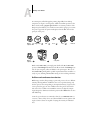
A color management system, or CMS, is a “translator” between the color
space of the source image (the monitor, or a scanner, for example) and the
color space of the output device. The CMS uses a device-independent color
space, such as CIELAB, as its intermediate color space. To perform its
translation, the CMS needs information about the color space of the source
image and the gamut of the print device. This information is provided in the
form of profiles, often created by the makers of the monitor or print device.
The end product of a CMS conversion is a printed document or an image file
in the gamut of a particular device.
N OTE : If color matching between computer display and printed output is
critical, you should calibrate your monitor as well as your printer. For most
users, predictability of printed color output is adequate and monitor
calibration is not necessary. For information on monitor calibration, see your
Photoshop or Illustrator documentation.