1
Remember to set BIOS to match the configuration that you
implement here. Go to Advanced Menu section of BIOS
for detail.
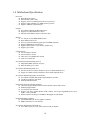
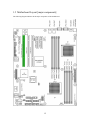
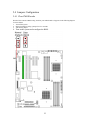
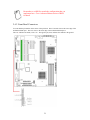
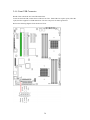
2.6.2 Front Panel Connectors
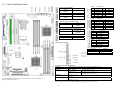
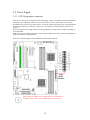
You can find the pin number on the corner of the pin block. Pin 2 is located closer to the outer edge of the
motherboard than pin 1. Pin 34 is closer to the outer edge of the motherboard than pin 33.
The red + indicates the anode, or the +5V. The opposite pin, then, indicates the cathode or the ground.
31