1
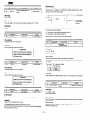
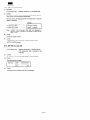
2) Rating
CHAPTER 1. SPECIFICATIONS
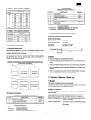
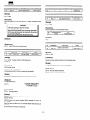
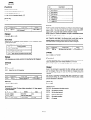
VAC 50/601iz
Power
Stand-by: 9W
Printing: 89W
Demand
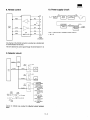
1. Appearance/Rating
178 (W) X 340 (D) X 153 (H)
Outside dimension
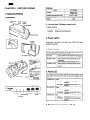
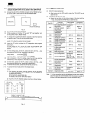
1) Appearance
Printercover
bck I
O-40”C
1O-9OYO
Ambient temperature/humidity
4.2kg
Weight
Printer RlecelpI
““
--. .. .
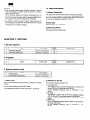
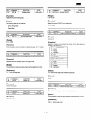
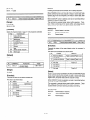
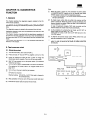
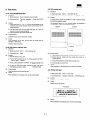
2. Journal lock ( Printer cover lock)
●
Method of locking
Locking:
Rotating clockwise 90”
Unlocking:
Rotating counterclockwise 90”
Key No.:
SK224
panel
Powerswitch
\w
3. Power switch
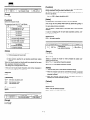
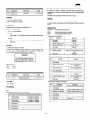
The power switch (seesaw switch) provided on the lower portion of
the left side of the main unit is used to turn ON/OFF the power
supplied to the printer.
Interface
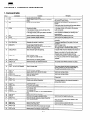
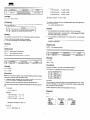
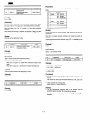
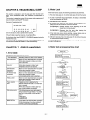
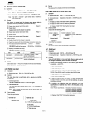
4. Panel switch
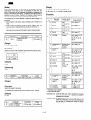
The three panel switches provided on the upper portion of the front of
the main unit have the functions shown below.
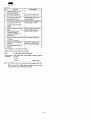
ON-LINE
Used to switches ON-LINflOFF-LINE (toggle
switch).
RECEIPT FEED
Used to perform manual paper feed on the
receipt side.
Paper feeding is continued while it is ON.
JOURNAL FEED
Used to pedorm manual paper feed on the
journal side. Paper feeding is continued while
it is ON.
?elease
ever
Normalposition
e
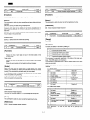
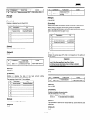
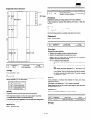
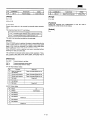
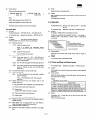
5. Panel LED
Paperreleasepositior
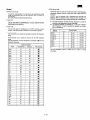
The three panel LEDs provided (together with panel switches) on the
upper portion of the front of the main unit have the functions shown
below.
:-.. Printinahead
openposition
POWER LED
Receiptpaperfeedkey
ON-LINE LED
Powerlamp
t
ONLINEkey
ONLINElamp
Frroriamp
Joum~lPaPer
feedkey
ERROR LED
Green
Lighting:
Indicating that the power is
supplied.
Not lighting: Indicating that the power is not
supplied.
Green
Indicating that the ON LINE is
Lighting:
selected.
Not lighting: Indicating that the OFF LINE is
selected.
Red
Indicating that an error is caused.
Lighting:
Not lighting: Indicating that normal operation
is made.
6. Receipt/Journal
1-1
printer: PR-58L