1
OPERATION
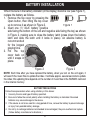
LOCK SWITCH
TURNING THE POWER ON/OFF
1
1
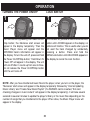
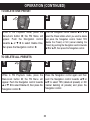
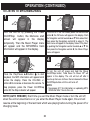
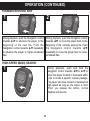
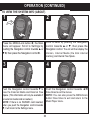
Turn the unit on by pressing the Power On/Off/
Stop button; the Memorex start screen will
appear in the display temporarily. Then the
Music Player menu will appear and the
MP3/WMA track’s information will appear in
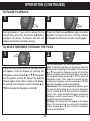
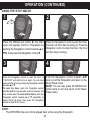
the display. To turn the unit off, press and hold
the Power On/Off/Stop button; “Hold Down To
Power Off” will appear in the display. The unit
will turn off after it counts up from one to three.
Do not release the Power On/Off/Stop button
until the unit turns off.
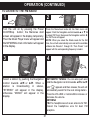
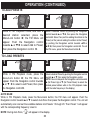
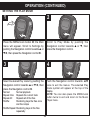
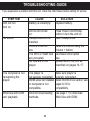
With the unit on, press and hold the MENU/Lock
button until LOCKED appears in the display; no
buttons will function. This is useful when you do
not want the track changed by accidentally
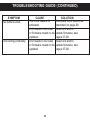
pressing a button. Press and hold the
MENU/Lock button until UNLOCKED appears in
the display to cancel the Lock function.
1
1
NOTE: After you have transferred music files to the player, when you turn on the player, the
“Memorex” start screen will appear in the display temporarily followed by “Internal Updating
Music Library” and “Create New Music Playlist” (if a SD/MMC card is inserted, “Ext card
checking changes in music content” will appear in the display temporarily). It will take several
seconds to several minutes to update the player’s library or the music files depending on the
number of songs that you transferred to the player. When done, the Music Player menu will
appear in the display.
20