1
Security Escort | Installation and Setup Guide | 2.0
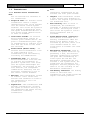
Equipment Estimation
2. Using a Maintenance Transmitter
with only one person
a. The Security Escort software
retains the last 50 maintenance
alarm locations. Make sure you
are the only one using a
Maintenance Transmitter on site,
buddy check is off, and that you
limit yourself to a maximum of
50 maintenance alarms per
sequence.
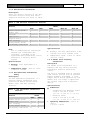
b. Synchronize the time on your
watch to the computer. Carry a
detailed map or floor plan of
the area to be tested that you
can write on.
c.
Take the Maintenance Transmitter
to the area to be tested. Press
the alarm on the transmitter and
accurately mark the spot on the
map where you transmitted with a
“1” (for the first
transmission). Also record the
time of the first transmission
only.
d. Continue to the next location,
transmit and mark that spot on
the map with a “2.” Repeat the
process throughout the area to
be tested, being sure not to
exceed 50 alarm transmissions
and making sure that at least
10-sec. elapse between
transmissions.
e. When finished, return to the
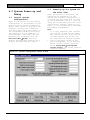
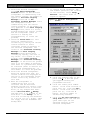
computer and select File →
Maintenance Alarm Database.
Scroll through the alarm list to
find the alarm that matches the
time of your first transmission.
This is the maintenance alarm
that you marked as “1” on your
map.
f.
Confirm that the actual location
from the map matches the
reported location.
Bosch Security Systems | 1/09 | 33831E
EN | 22
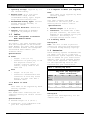
g. If the actual location differs
from the reported location, draw
an arrow on the map from the
actual location to the reported
location. Press the up arrow
once to go to the next alarm.
Compare the locations, drawing
an arrow to the reported
location if they differ. Repeat
this procedure for all points on
your map, making sure that the
points on the map stop when you
run out of entries in the
scrolling list on the computer
screen. Otherwise, the points on
the map and the screen are out
of sync and the errors on your
map are incorrect and
misleading.
h. For areas where there were alarm
location problems, you may want
to repeat the above process
facing in different directions
from the same spot. This
generates additional alarms from
different spots in the problem
areas to fully understand the
extent of the problem.
i.
You should also generate alarms
in areas adjacent to the area
with the problem to see if they
are also affected.
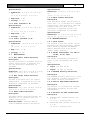
3. Using a Maintenance Transmitter
with two people
a. The two people must have radio
contact between them. One person
operates the computer running
the Security Escort software and
the other takes the Maintenance
Transmitter to the area to be
tested.
b. At the computer select File →
Maintenance Alarm Database. Make
sure the top item in the
scrolling list is selected.