1
METERS
Meters
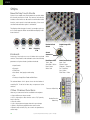
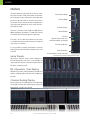
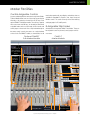
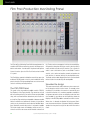
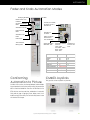
The meters above each strip may be set to show any source,
Mix, Group or Aux bus. Single or dual meters can be selected. For example, all strips could have the source fader signal
plus the first 48 strips could also show the mix bus levels.
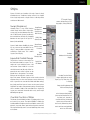
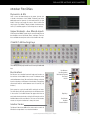
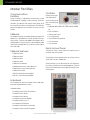
The example shown to the right has been configured with a
single input meter displaying the source signal (channel 1)
and a dynamics meter.
The meter is accurate to within 1/4dB from 0dBfs down to
48dBfs and displays clip indication. The green bar to the left
of the meter lights showing the approach to peak level.
If the strip is set to a Multi-Format Master that has stereo
or surround format then the meter at the top of the strip will
show stereo or 5.1 metering.
It is also possible to set up the channel meters so that they
display metering for both the Main and Swap sources at the
same time.
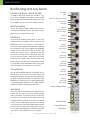
Meter Presets
High Resolution Meter
Dynamics Meter
Source Designation
Channel Number
EQ Curve
(dynamics & pan curves show
when their knobsets are selected)
Bus Routing Indication
Button Designation
(for the two buttons at top of the strip)
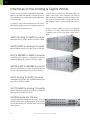
Screen at the top of 8 strips showing 8 channel meters
Meter presets allow the setup of meter combinations to
be stored and named for later recall - 24 are available. One
setup could contain primary source meters together with mix
bus signals, another Aux sends.
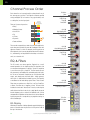
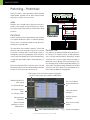
EQ / Dynamics / Pan Display
Whenever EQ, Dynamics, and Pan are being controlled on the
knobset, a graphical display illustrates what is happening to
the audio.
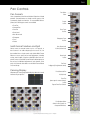
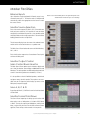
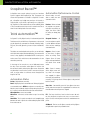
Channel Routing Display
Source routing to the mix and group buses are also displayed.
The example shown top right is displaying the routing to the
48 group buses, with bus 1 & 2 selected.
16
System 5 Digital Audio Mixing System - InDepth