1
B E F O R E O P E R AT I N G
M A N U A L O P E R AT I O N
• Before operating your new microwave oven make
sure you read and understand this operation
manual completely.
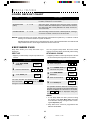
TIME COOKING
Your oven can be programmed for 99 minutes 99
seconds (99.99). Always enter the seconds after the
minutes, even if they are both zeros.
• Suppose you want to cook for 5 minutes at 100%.
• Before the oven can be used, follow these
procedures:
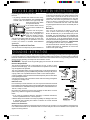
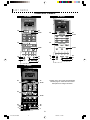
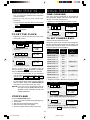
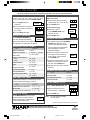
1. Plug in the oven. Close the door. The oven display
will show SHARP SIMPLY
THE
BEST
PRESS
. CLEAR
AND
PRESS
CLOCK .
PROCEDURE
1
2. Touch the STOP/CLEAR pad.
:
will appear.
2
TO SET THE CLOCK
TIMER
CLOCK
12.30
Enter the correct time of
day by touching the numbers in sequence.
3
TIMER
CLOCK
15.00
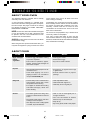
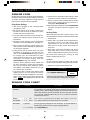
There are eleven preset power levels.
Using lower power levels increases the cooking time
which is recommended for foods such as cheese, milk
and long slow cooking of meats. Consult cookbook or
recipes for specific recommendations.
T I ME
2 1 2 3 0
START
TO SET POWER LEVEL
ENTER
Touch CLOCK pad and
number 2.
15.00
Touch START pad.
D I S P L AY
2
0
COOK DEFROST
• Suppose you want to enter the correct time of day
12:30 (A.M. or P.M.).
PROCEDURE
0
Enter cooking time.
3. Set clock.
1
5
D I S P L AY
12.30
Touch CLOCK pad again.
This is a 12 hour clock. If you attempt to enter an
incorrect clock time, ERROR will appear in the display.
Touch the STOP/CLEAR pad and re-enter the time.
• If the electrical power supply to your microwave
oven should be interrupted, the display will intermittently show SHARP
SIMPLY
THE
BEST
. PRESS
CLEAR
AND
PRESS
CLOCK
after
the power is reinstated. If this occurs during cooking, the program will be erased. The time of day will
also be erased. Simply touch STOP/CLEAR pad
and reset the clock for the correct time of day.
TOUCH POWER
LEVEL PAD NUMBER OF TIMES
FOR DESIRED POWER
APPROXIMATE
PERCENTAGE
OF POWER
COMMON WORDS
FOR
POWER LEVELS
POWER LEVEL x 1
100%
High
POWER LEVEL x 2
POWER LEVEL x 3
90%
80%
POWER LEVEL x 4
POWER LEVEL x 5
70%
60%
Medium High
POWER LEVEL x 6
POWER LEVEL x 7
50%
40%
Medium
POWER LEVEL x 8
POWER LEVEL x 9
30%
20%
Med Low/Defrost
POWER LEVEL x 10
10%
Low
POWER LEVEL x 11
0%
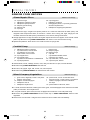
• Suppose you want to defrost for 5 minutes at 30%.
PROCEDURE
1 5
NOTE: Your oven can be programmed with the
door open except for START, MINUTE PLUS,
SENSOR COOK, INSTANT ACTION and
COMPU DEFROST.
0
D I S P L AY
0
Enter defrosting time.
2
POWER
LEVEL
x8
1P-30
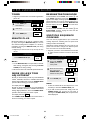
Touch POWER LEVEL pad eight times or hold
down until the desired power level appears.
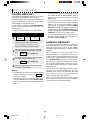
STOP/CLEAR
Touch the STOP/CLEAR pad to:
1. Erase if you make a mistake during programming.
2. Cancel timer.
3. Stop the oven temporarily during cooking.
4. Return the time of day to the display.
5. Cancel a program during cooking, touch twice.
3
START
Touch START pad.
9
15.00
COOK DEFROST
When the defrost time is complete, a long tone
will sound and END will appear in the display.
9
1.519,425E,420E-B288
15.00
10/23/2001, 1:00 PM