1
User Instructions
Table of contents
IDM corded
Table of contents
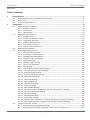
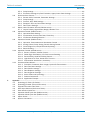
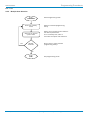
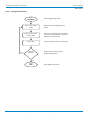
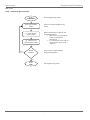
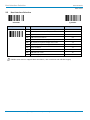
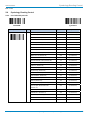
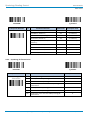
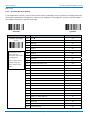
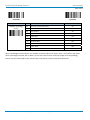
1 2 Getting Started..................................................................................................................................................... 5 1.1 Getting familiar with your IDM Hand-held scanner......................................................................... 5 1.2 Connectivity ....................................................................................................................................... 5 1.3 Technical Specifications................................................................................................................... 7 Configuration........................................................................................................................................................ 8 2.1 Programming Commands................................................................................................................. 8 2.1.1 System Command................................................................................................................ 8 2.1.2 Family Code .......................................................................................................................... 8 2.1.3 Option Code.......................................................................................................................... 8 2.2 Programming Procedures................................................................................................................. 8 2.2.1 Program & End ..................................................................................................................... 9 2.2.2 System List & Master Default ........................................................................................... 10 2.2.3 Single Scan Selection ........................................................................................................ 10 2.2.4 Multiple Scan Selection..................................................................................................... 11 2.2.5 Cycling Scan Selection....................................................................................................... 12 2.2.6 Dual Level Scan Selection................................................................................................. 13 2.3 Host Interface Selection ................................................................................................................. 14 2.4 Symbology Reading Control............................................................................................................ 15 2.4.1 User Defined Symbol ID..................................................................................................... 15 2.4.2 Symbology ID Transmission .............................................................................................. 16 2.4.3 Readable Bar Code Setting ............................................................................................... 17 2.4.4 Code 39/ Code 32 Settings .............................................................................................. 19 2.4.5 Code 39 Settings ............................................................................................................... 20 2.4.6 Codabar/ NW-7 Settings.................................................................................................... 21 2.4.7 UPC-A/ UPC-E Settings....................................................................................................... 22 2.4.8 EAN Settings....................................................................................................................... 25 2.4.9 UCC Coupon Extended Code Settings .............................................................................. 27 2.4.10 IATA & Interleaved 2 of 5 Settings.................................................................................. 28 2.4.11 Code 25 Family Settings ................................................................................................. 29 2.4.12 Code 11 & Code 93 Settings .......................................................................................... 30 2.4.13 MSI/ Plessey Settings ..................................................................................................... 31 2.4.14 Code 128 Settings........................................................................................................... 32 2.4.15 GS1-128 Settings ............................................................................................................ 33 2.4.16 UK/ Plessey Settings ....................................................................................................... 34 2.4.17 Telepen Settings .............................................................................................................. 35 2.4.18 GS1 DataBar Settings ..................................................................................................... 36 2.4.19 Composite Codes, Codablock F, PDF417, Micro PDF417 Settings ............................. 37 2.4.20 Code 16K & Code 49 Settings........................................................................................ 38 2.4.21 QR Code Settings............................................................................................................. 39 2.4.22 Data Matrix Settings........................................................................................................ 40 2.4.23 Aztec Code Settings......................................................................................................... 41 2.4.24 Autralian Post, US Planet, US Postnet, British Post, Japan Post Settings ................... 42 2.4.25 Netherland KIX Code, Intelligent Mail & Korea Post Code Settings ............................. 43 2.5 Keyboard Interface Control ............................................................................................................ 44 2.5.1 Keyboard Layout (Language) Settings.............................................................................. 44 2.5.2 Record Suffix, Preamble, Postamble, FNC1 Transmit, Caps Lock.................................. 45 8015906/2013-07-02
© SICK AG · Germany · All rights reserved · Subject to change without notice
3