1
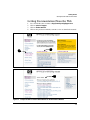
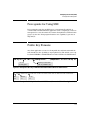
Getting Started Related Publications Port Numbering Conventions HP ProCurve stackable switches designate individual ports with sequential numbers (1, 2, 3, etc.) HP ProCurve chassis switches designate individual ports with a letter/number combination to show the slot in which the port is found and the sequential number the port has in that slot (A1, A2, B1, B2, etc.) Examples that include port numbering information often include only one of these port numbering conventions. Unless otherwise noted, you can assume that the example applies to your switch, regardless of its port numbering convention. Keys Simulations of actual keys use a bold, sans-serif typeface with square brackets. For example, the Tab key appears as [Tab] and the “Y” key appears as [Y]. Related Publications Software Release Notes. Release notes are posted on the HP ProCurve website and provide information on new software updates: ■ New features and how to configure and use them ■ Software management, including downloading software to the switch ■ Software fixes addressed in current and previous releases To view and download a copy of the latest release notes for your switch, refer to “Getting Documentation From the Web” on page 1-9. Product Notes and Software Update Information. The printed Read Me First shipped with your switch provides software update information, product notes, and other information. A printed copy is shipped with your switch. For the latest version, refer to “Getting Documentation From the Web” on page 1-9. Installation and Getting Started Guide. Use the Installation and Get ting Started Guide shipped with your switch to prepare for and perform the physical installation. This guide also steps you through connecting the switch to your network and assigning IP addressing, as well as describing the LED indications for correct operation and trouble analysis. A PDF version of this guide is also provided on the Product Documentation CD-ROM shipped with the switch. And you can download a copy from the HP Procurve website. (See “Getting Documentation From the Web” on page 1-9.) 1-7