1
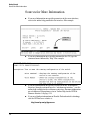
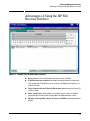
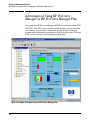
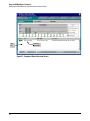
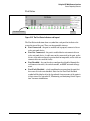
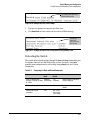
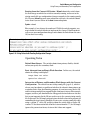
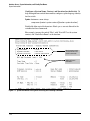
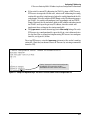
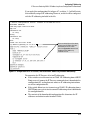
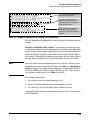
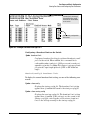
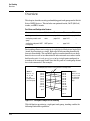
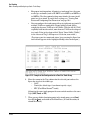
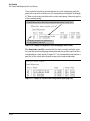
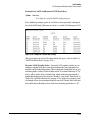
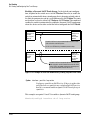
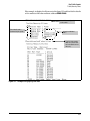
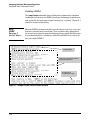
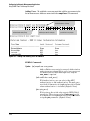
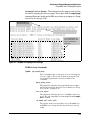
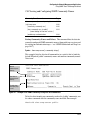
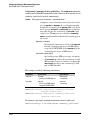
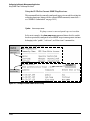
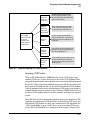
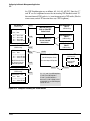
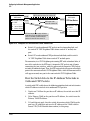
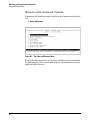
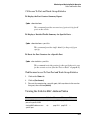
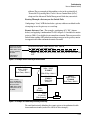
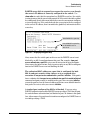
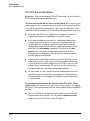
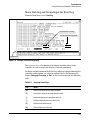
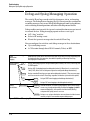
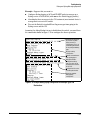
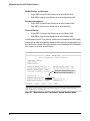
Using the HP Web Browser Interface Status Reporting Features The Port Utilization and Status Displays The Port Utilization and Status displays show an overview of the status of the switch and the amount of network activity on each port. The following figure shows a sample reading of the Port Utilization and Port Status. Port Utilization Bar Graphs Bandwidth Display Control Port Status Indicators Legend Figure 5-9. The Graphs Area Port Utilization The Port Utilization bar graphs show the network traffic on the port with a breakdown of the packet types that have been detected (unicast packets, non unicast packets, and error packets). The Legend identifies traffic types and their associated colors on the bar graph: ■ % Unicast Rx & All Tx: This is all unicast traffic received and all transmitted traffic of any type. This indicator (a blue color on many systems) can signify either transmitted or received traffic. ■ % Non-Unicast Pkts Rx: All multicast and broadcast traffic received by the port. This indicator (a gold color on many systems) enables you to know “at-a-glance” the source of any non-unicast traffic that is causing high utilization of the switch. For example, if one port is receiving heavy broadcast or multicast traffic, all ports will become highly utilized. By color-coding the received broadcast and multicast utilization, the bar graph quickly and easily identifies the offending port. This makes it faster and easier to discover the exact source of the heavy traffic because you don’t have to examine port counter data from several ports. ■ % Error Pkts Rx: All error packets received by the port. (This indicator is a reddish color on many systems.) Although errors received on a port are not propagated to the rest of the network, a consistently high number of errors on a specific port may indicate a problem on the device or network segment connected to the indicated port. 5-15