1
Contents
Chapter 1 – Product Overview ............................................................................................................................ 7
Related Documentation .............................................................................................................................................. 8
Safety Warnings .......................................................................................................................................................... 9
Ethernet Ports Caution .................................................................................................................................................... 9
Handling Precautions ....................................................................................................................................................... 9
RF Interference Issues ...................................................................................................................................................... 9
Vehicle Safety................................................................................................................................................................... 9
Internal Lithium Battery ................................................................................................................................................. 10
Front Panel.................................................................................................................................................................10
Package Contents .......................................................................................................................................................12
Unbundled Package with No Accessories ...................................................................................................................... 12
Bundled Package with Accessories ................................................................................................................................ 12
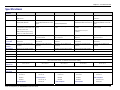
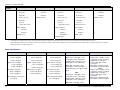
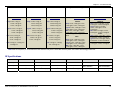
Specifications .............................................................................................................................................................13
RF Specifications ............................................................................................................................................................ 15
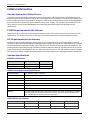
Cellular Information ...................................................................................................................................................16
Antenna System for Cellular Devices ............................................................................................................................. 16
PTCRB Requirements for the Antenna ........................................................................................................................... 16
FCC Requirements for the Antenna ............................................................................................................................... 16
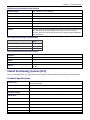
Antenna Specifications .................................................................................................................................................. 16
Global Positioning System (GPS) .................................................................................................................................17
Technical Specifications ................................................................................................................................................. 17
Global Positioning System (GPS) – Underwriters Laboratories, Inc. Statement ............................................................ 18
RS232 9-Pin Functions of the Female End Connector ...................................................................................................18
Chapter 2 – Installing the Router .......................................................................................................................19
Inserting the SIM Card into Holder, for GSM Network Access ......................................................................................19
Making the Connection ..............................................................................................................................................19
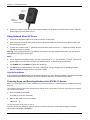
Using Optional Direct DC Power .................................................................................................................................... 20
Powering Down and Resetting Hardware for MTCBA-C1 Router .................................................................................. 20
Optional – Attaching the Router to a Flat Surface .......................................................................................................21
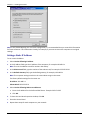
Setting TCP/IP Address ...............................................................................................................................................21
Setting a Static IP Address ............................................................................................................................................. 22
Configuring Ethernet Interface....................................................................................................................................23
Quickly Configuring the Router by Using Wizard Setup................................................................................................. 23
Verifying Signal Strength ............................................................................................................................................25
Before You Begin............................................................................................................................................................ 25
Verifying Provider Fees...............................................................................................................................................25
Activating an Account for Wireless Devices .................................................................................................................25
Setting Up the Account to Enable Remote Configuration ............................................................................................. 25
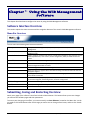
Chapter 3 - Using the WEB Management Software ............................................................................................26
Software Interface Overview ......................................................................................................................................26
Menu Bar Overview ....................................................................................................................................................... 26
Submitting, Saving and Restarting Overview ...............................................................................................................26
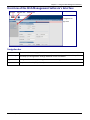
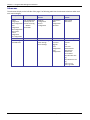
Overview of the Web Management Software’s Interface ............................................................................................27
Navigation bar................................................................................................................................................................ 27
Multi-Tech Systems, Inc. MultiModem rCell User Guide
3