1
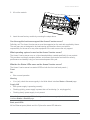
Acano X Series Server and Virtualized Deployments How long does the Acano solution take to boot or restart? It takes approximately 5-6 minutes to fully boot up. It can seem as if it is fully booted because the MMP (Admin interface) is accessible after a minute or so; however, the rest of the system is still booting and you cannot access the Web Admin Interface until it is fully booted. On the Acano X series server, if you see the red light on the front panel during this period, it is not an issue. How can I use the Secondary URI field? In R1.1 you can configure a secondary numeric URI for a coSpace. This can be done manually on individual coSpaces in the Web Admin Interface or automatically during an LDAP import using the API. (Note that the Acano clients do not show, and cannot set, a coSpace’s secondary URI.) Upgrade fails because the upgrade image failed to mount If you are upgrading either the Server deployment or a virtualized deployment, and see an error message that the upgrade image failed to mount, check the settings on the tool used to transfer the file. If you are using WinSCP ensure that the transfer setting is ‘binary’ not ‘text’. Using the incorrect setting results in the transferred file on both the VmWare and server being slightly smaller than the original size – and this prevents successful upgrade. Tips for making Multiway calls If you are confident that your VCS settings are correct, try both of the following: Disable H.323 on the Cisco endpoints (either the endpoint is not registered with H.323 or H323 is disabled on the endpoint) Ensure that the Multiway address on the endpoints is prefixed with "sip:" e.g. sip:<multiway uri> Does the Acano solution support multiple domains? The Call Bridge can currently support coSpaces on many SIP domains, but in the current software release the XMPP server only supports a single domain. Therefore if users want to log in with Acano clients they must all be on the same domain. While it is possible to change the XMPP domain, this will mean that your existing clients will be unable to login. We are planning to enable support for multiple XMPP domains in the future. Troubleshooting Web Bridge connectivity issues To troubleshoot Web Bridge connectivity issues: 1. On an Acano PC Client or Mac Client try to sign in using the credentials of a user on the Acano solution. If this fails with the error message “Unable to connect to the Acano Server - try again later”, this suggests that there is a problem in the connectivity between the Web Bridge and the XMPP server. When a user tries to log in to the Web Bridge with a user name of the form user1@example.com, the Web Bridge performs a DNS SRV lookup of _xmppclient._tcp.example.com in order to discover the IP address of the XMPP server. If the Web Bridge cannot resolve this DNS record, the login fails with the error message above. This can be tested. Acano Solution R1.6: Support FAQs 76-1022-08-K Page 21