1
DS7200V2-EXP | Expert Programming Guide | 4.
Control Panel Programming
EN | 84
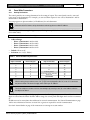
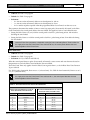
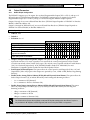
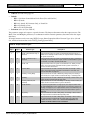
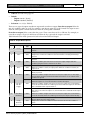
Location ##, Zone Function
•
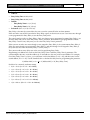
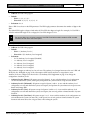
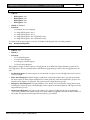
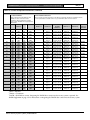
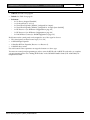
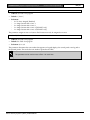
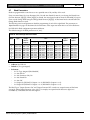
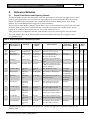
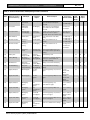
Address: See Table 13 on page 80
•
Default: See Table 13 on page 80
•
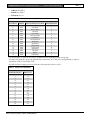
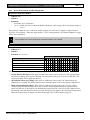
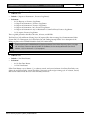
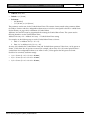
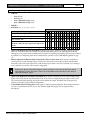
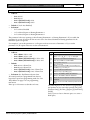
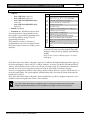
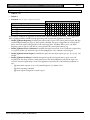
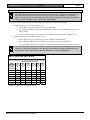
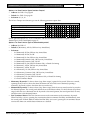
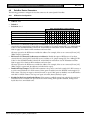
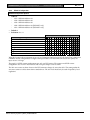
Selections: 0 to 15 (see Table 15 for Default Zone Function Types)
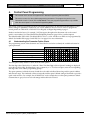
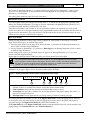
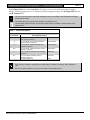
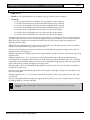
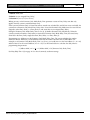
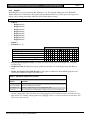
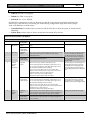
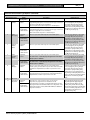
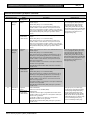
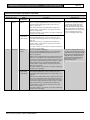
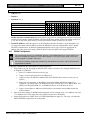
The zone function determines how the system responds to changes on the sensor loop assigned to the location.
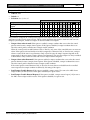
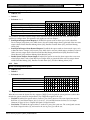
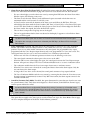
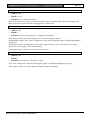
There are two general categories of zones: 24-hour and Controlled.
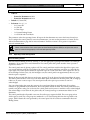
•
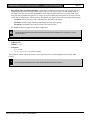
24-hour Zone: 24-hour zones are always on and cannot be turned off by the user. Faults on 24-hour zones
prevent turning the system on.
•
Controlled Zone: Controlled zones are turned on and off when the user turns the system on (armed) and off
(disarmed).
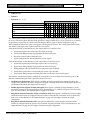
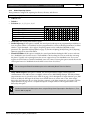
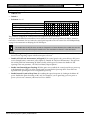
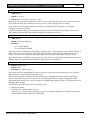
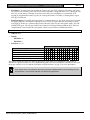
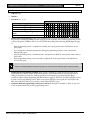
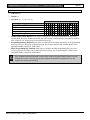
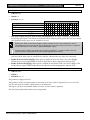
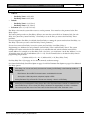
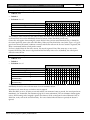
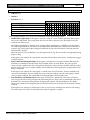
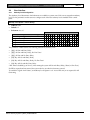
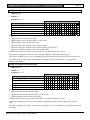
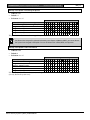
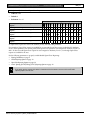
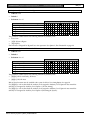
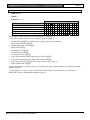
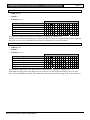
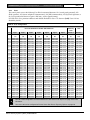
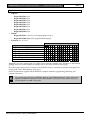
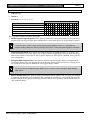
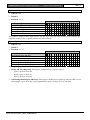
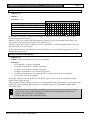
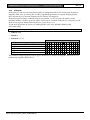
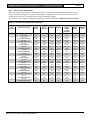
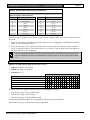
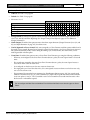
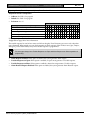
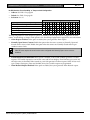
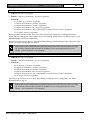
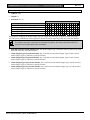
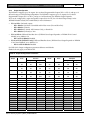
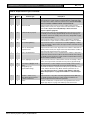
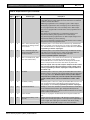
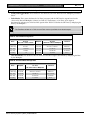
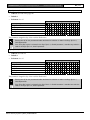
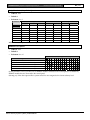
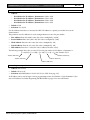
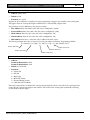
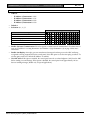
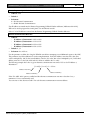
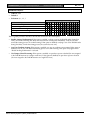
See Table 15 for Zone Function selections.
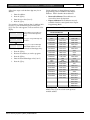
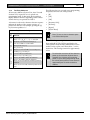
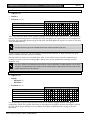
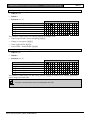
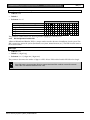
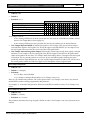
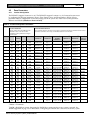
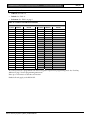
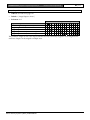
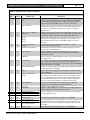
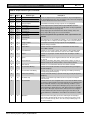
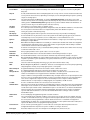
Table 15: Default Zone Function Type Selections
Zone Function
Selection
0
Disabled
24-hour Fire, Normally Open Contact
24-hour Fire with Alarm Verification, Normally Open Contact
24-hour Voice Active Control Input, Normally Open Contact with EOL Resistor
24-hour Tamper (no EOL resistor)
24-hour Emergency (no alarm output)
24-hour Visible Panic (no alarm output)
24-hour Invisible Panic (no alarm output)
24-hour Burglary
Chime Mode only
Controlled Keyswitch, Momentary, All On, Off from Any Armed State
Controlled Entry/Exit Delay 1
Controlled Entry/Exit Delay 2
Controlled Follower
Controlled Instant
Controlled Instant (Perimeter)
Bosch Security Systems | 8/04 | 4998153891C
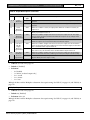
Controlled
Zones
9
10
11
12
13
14
15
24-Hour Zones
1
2
3
4
5
6
7
8
Default Zone Function Type