1
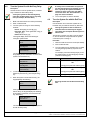
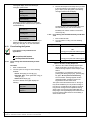
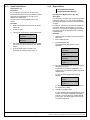
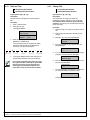
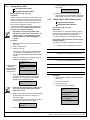
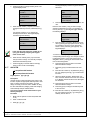
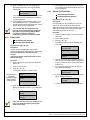
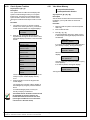
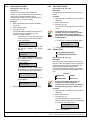
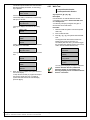
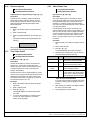
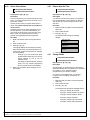
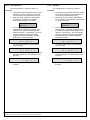
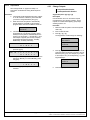
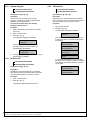
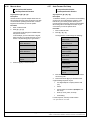
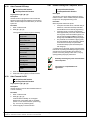
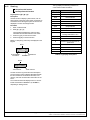
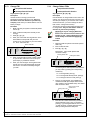
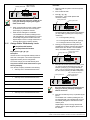
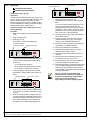
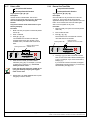
4.26 4.28 Reset the System Select Chime Tone I can perform this function. I cannot perform this function. I can perform this function. I cannot perform this function. Keypad Sequence: [System Reset] or [#] + [4] + [7] Key Sequence: [#] + [6] + [2] Description Description Use this function to reset the system (including fire zones) after an alarm. Detection devices, such as smoke detectors and shock sensors, must be reset after being activated. Resetting the system takes about 20 seconds. The Chime feature gives you the ability to “chime” zones when the system is turned off. The system can be programmed to alert you to opened doors and windows. For example, parents with small children may want a tone to sound whenever a door is opened to monitor the children. Procedure 1. Make sure that the system is off (Armed LED is off). 2. Enter a valid user PIN. 3. Press the [System Reset] key (or enter [#] + [4] + [7]). The system resets and the keypad displays the following: Resetting. . . After the system has reset, the keypad display automatically returns to the normal display. 4.27 Use this function to set the type of response your system produces when a Chime zone is faulted. If you wish, you may tell your system to display the identity of the zone and sound a short tone whenever certain doors or windows are opened. See “Select Chime Zones” to program which zones in your system are to be chimed. Procedure 1. Make sure that your system is off (Armed LED is off). 2. Enter a valid user PIN. 3. Enter [#] + [6] + [2]. The keypad displays the current Chime tone. Turn Chime On/Off 4. I can perform this function. I cannot perform this function. Key Sequence: [#] + [6] + [1] Select the type of Chime tone (1-4) you want by pressing the appropriate number key. Chime Tone Key Off [1] Displays zone identity, but sounds no tone when zones are faulted. Short Beep [2] Displays zone identity and sounds a tone when zones are faulted. Beep Until Key Press [3] Displays zone identity and sounds a tone until [#] is pressed. Beep Till Closed [4] Displays zone identity and sounds a tone until the zone is returned to normal (door or window is closed). Pressing [#] also silences the tone. Description Use the Chime feature to “chime” zones when the system is off. For example, parents with small children may want a tone to sound whenever a door or window is opened as a way of monitoring the location of the children. Use this function to turn the Chime feature on and off. Once you have programmed the system with zones to watch and the responses (see “Select Chime Tone” and “Select Chime Zones” on page 22), you need to turn the Chime function on or off. Table 8: Chime Tone Selections If you just want to review (not change) the current Chime tone setting, press the [#] key to exit this function. Procedure 1. Make sure that the system is turned off (Armed LED is off). 2. Enter a valid user PIN. 3. Enter [#] + [6] + [1]. Description 5. After making your selection, the display confirms the choice you have made. 6. Press the [#] key to exit this feature. The keypad displays the current Chime status (on or off). 4. To turn the Chime feature on, press the [1] key. To turn it off, press the [2] key. To exit this feature, press the [#] key. DS7240/DS7220 User's Guide Copyright 2002 Detection Systems, Inc. P/N: 49211C Page 21 PART II: KEYPAD USER’S GUIDE: DS7447i LCD KEYPAD