1
Table of Contents
Getting to know your smartphone
Features and functions . . . . . . . . . . . . . . . . . . . . . . . . 5
Other sources of help . . . . . . . . . . . . . . . . . . . . . . . . . 6
Product registration . . . . . . . . . . . . . . . . . . . . . . . . . . . 7
Chapter 1: Setting Up
Unpacking your smartphone . . . . . . . . . . . . . . . . . . . 9
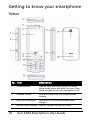
Getting to know your smartphone . . . . . . . . . . . . . . 10
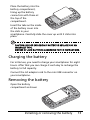
Installing or removing the battery . . . . . . . . . . . . . . 12
Installing a SIM or microSD card . . . . . . . . . . . . . . . . 14
Turning on for the first time . . . . . . . . . . . . . . . . . . . 15
Chapter 2: Making Calls
Before making a call . . . . . . . . . . . . . . . . . . . . . . . . .
Making a call . . . . . . . . . . . . . . . . . . . . . . . . . . . . . . .
The onscreen number pad . . . . . . . . . . . . . . . . . . . .
Using the numeric keypad . . . . . . . . . . . . . . . . . . . .
The voice call screen . . . . . . . . . . . . . . . . . . . . . . . . .
Onscreen call options . . . . . . . . . . . . . . . . . . . . . . . .
19
19
20
20
22
22
Chapter 3: Input Devices
The stylus . . . . . . . . . . . . . . . . . . . . . . . . . . . . . . . . . . 27
The navigation buttons . . . . . . . . . . . . . . . . . . . . . . . 27
The onscreen keyboard . . . . . . . . . . . . . . . . . . . . . . . 28
Chapter 4: Messaging
The messaging screen . . . . . . . . . . . . . . . . . . . . . . . .
Text (SMS) messages . . . . . . . . . . . . . . . . . . . . . . . . .
MMS messages . . . . . . . . . . . . . . . . . . . . . . . . . . . . . .
E-mail . . . . . . . . . . . . . . . . . . . . . . . . . . . . . . . . . . . . .
31
32
33
36
Chapter 5: Using the Camera
Camera icons and indicators . . . . . . . . . . . . . . . . . . . 38
3