1
Chapter 4. Browsing and playing
33
Sound Settings
This is a shortcut to the Sound Settings Menu, where you can configure volume, bass,
treble, and other settings affecting the sound of your music. See section 6 (page 48) for
more information.
Playback Settings
This is a shortcut to the Playback Settings Menu, where you can configure shuffle,
repeat, party mode, skip length and other settings affecting the playback of your music.
Rating
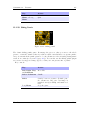
The menu entry is only shown if Gather Runtime Information is enabled. It allows
the assignment of a personal rating value (0 – 10) to a track which can be displayed in
the WPS and used in the Database browser. The value wraps at 10.
Bookmarks
This allows you to create a bookmark in the currently-playing track.
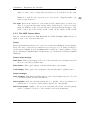
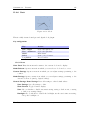
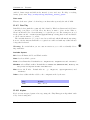
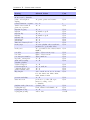
Show Track Info
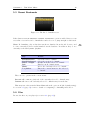
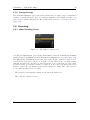
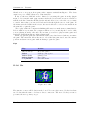
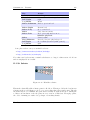
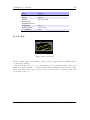
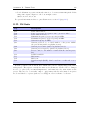
Figure 4.4.: The track info viewer
This screen is accessible from the WPS screen, and provides a detailed view of all the
identity information about the current track. This info is known as meta data and is
stored in audio file formats to keep information on artist, album etc. To access this
screen, press Select + Submenu.
Open With...
This Open With function is the same as the Open With function in the file browser’s
Context Menu.
The Rockbox manual
(version rUnversioned directory-150516)
Sansa Fuze