1
Blue
Guide
BlueChip
ChipTraining
Training
Guide
Page 2 of 193
Table of Contents
PATIENT RECORDS ............................................................................................................. 5
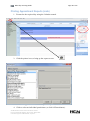
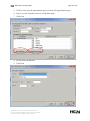
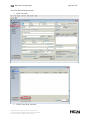
Opening an Existing Patient’s File ........................................................................................ 5
Other methods for searching for Existing Patients ............................................................ 7
File Numbers .................................................................................................................. 7
Medicare Number .......................................................................................................... 7
Date of Birth .................................................................................................................. 7
Invoice/Receipt .............................................................................................................. 7
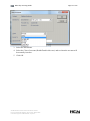
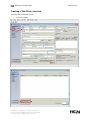
Creating a New Patient File ................................................................................................... 8
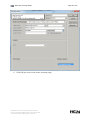
The Patient Detail’s Screen .............................................................................................. 10
Residential/Postal Address........................................................................................... 11
Adding a New Suburb/Postcode .................................................................................. 11
Contact Numbers ......................................................................................................... 12
Comments .................................................................................................................... 12
First Visit Date ............................................................................................................. 12
Occupation & Email .................................................................................................... 12
Medicare/Veterans Affair Numbers ................................................................................. 12
To enter a Medicare number: ....................................................................................... 12
To enter a Veterans Affairs number: ........................................................................... 13
Online Patient Verification (OPV)................................................................................... 13
File Numbers .................................................................................................................... 13
Patient Notes ........................................................................................................................ 14
To view notes ............................................................................................................... 14
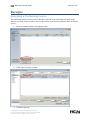
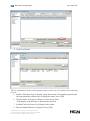
REFERRALS ......................................................................................................................... 15
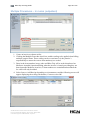
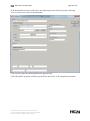
Enter a New Referral ........................................................................................................... 17
MAKING AN APPOINTMENT .......................................................................................... 21
How to make an appointment for an existing patient with a current referral ...................... 21
How to make an appointment for an existing patient with an expired referral.................... 22
How to make an appointment for a new patient. ................................................................. 27
Double Book a Patient ..................................................................................................... 30
Appointment Comments .................................................................................................. 31
Recurring Appointments .................................................................................................. 33
Printing Appointment Reports (Lists) .................................................................................. 38
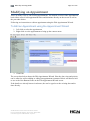
MODIFYING AN APPOINTMENT.................................................................................... 41
To Edit an Appointment using the Appointment Wizard .................................................... 41
Using the Appointment Book Button .............................................................................. 42
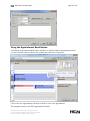
Using Find Slot Button .................................................................................................... 43
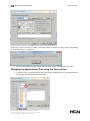
Changing the Appointment Date using the Calendar Control ......................................... 43
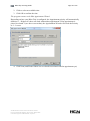
Changing the Appointment Time using the Time control ............................................... 44
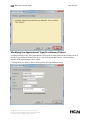
Modifying the Appointment Type/Practitioner/Patient ................................................... 46
To Directly Edit an Appointment in the Appointment Book ............................................... 47
Moving an Appointment .................................................................................................. 47
Changing the Appointment Duration ............................................................................... 47
Finding an Appointment .................................................................................................. 48
Cancelling an Appointment ................................................................................................. 49
© 2011 Health Communication Network Limited.
Level 4, 201 Pacific Highway, St Leonards, NSW, 2065.
Customer Support: 1300 300 161 – Option 2