1
9 Management
This section details the VLS management procedures such as changing the account passwords,
managing high availability, and saving configuration settings.
Changing the Account Passwords
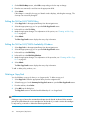
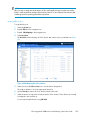
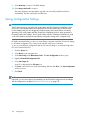
To change the administrator and/or user account password, from Command View VLS:
1.
Click the System tab.
2.
Select Chassis from the navigation tree.
3.
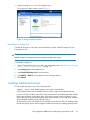
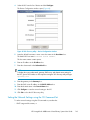
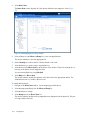
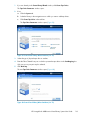
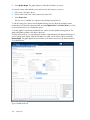
Click Edit Accounts under Maintenance Tasks. The Edit Accounts window opens.
4.
Enter the current password in the Old Password box. The password is case sensitive.
5.
Enter a new password in the New Password box.
6.
Enter the new password again in the Retype New Password box.
7.
Click Apply Settings.
Command View VLS restarts automatically.
NOTE:
You can change the user or administrator account password separately, or change both at
the same time.
NOTE:
The password can also be changed from the VLS CLI. See “CLI Management commands” on page 209.
Managing Cartridges
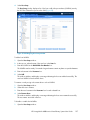
You can change the following parameters for existing cartridges from the Cartridge Parameters
window:
• Library with which they are associated
• Capacity
• Write access
HP StorageWorks 6000–series Virtual Library System User Guide
171