1
Google ships “fastest-ever” Chrome out of beta | The Tech Herald
[3]
Download link
http://www.google.com/chrome[4]
My comments
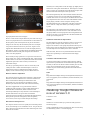
Google have updated their Chrome browser to the next major
version. It has been fine-tuned “under the hood” for speed in
a similar way to what has happened with Windows 7 and MacOS
X “Snow Leopard” and is intended to be faster than the prior
versions.
There is also improvements in how it handles the new HTML5
language, which will make it ready for the Web’s new direction.
Other improvements include “experience synchronisation”
between different computers, a must have if you are upgrading
computers constantly or operating two different computers like
a desktop and a laptop.
[1]
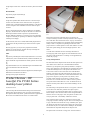
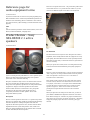
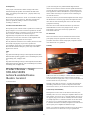
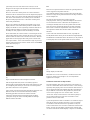
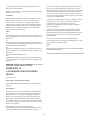
This model, which costs AUD$329, that I am testing is an
entry-level desktop unit that is directly-attached to the computer
via a USB cable. The P1600 Series is the “step-up” version that
has the same functionality but is equipped with network-printing
ability as well as a duplexer for printing on both sides of the
paper. This is in a similar practice to how most vehicles are sold
At the moment, there isn’t a stable Adobe Flash plugin for this
version but it will be provided as part of the browser’s update
process.
with extra options being part of increasingly-expensive “trim
levels”.
This may appeal to you if you have jumped from Internet
Explorer to Google Chrome, whether directly or through the
Browser Choice screen in Europe.
It works with an HP CE278a toner cartridge which has an
average page yield of 2100 pages and costs AUD$94.60 each on
the streets. This would lead to a running cost of approximately
AUD$0.04 per page.
Links
[1]
http://www.journaldugeek.com/2010/05/26/chrome-5–0-en-versio
n-finale/?utm_source=feedburner&utm_medium=feed&utm_cam
paign=Feed%3A+LeJournalDuGeek+%28le+Journal+du+Geek%
29
[2]
http://derstandard.at/1271377474564/Google-veroeffentlicht-Chr
ome-5-fuer-Windows-Mac-OS-und-Linux
[3]
http://www.thetechherald.com/article.php/201021/5660/Google-s
hifts-fastest-ever-Chrome-out-of-beta
[4] http://www.google.com/chrome
Set-up and Operation
The main feature that impressed me about this laser printer was
that I didn’t need to find a CD or download files from HP’s
Website to get the printer going with my Windows 7 computer.
Once it was plugged in to the USB hub, the computer discovered
a USB Mass-Storage device on the printer and mounted it as
a drive letter. Then I went to that drive letter with Windows
Explorer and ran the Setup file whereupon the drivers were in
place and the printer clicked in to action with the Windows Test
page on the output tray on the printer very shortly. I have
touched on this earlier[2] in my blog as a separate article
because it was a “dream come true” when it comes to printer
setup. The P1600 would allow me to “hit” its Web front-end to
load the necessary driver files at least when installing it on the
network.
Product Review – HP
LaserJet Pro P1560 Series
desktop laser printer
27/05/2010 14:04
The other thing I am impressed about is a very quick “cold start”.
I have often seen older laser printers and copiers require
a warm-up time of a few minutes before they are ready to print.
This is mainly to have the fuser rollers warm enough and able to
melt the toner in to the paper. Here, the printer was able to be
ready to print from “cold standby” within four seconds.
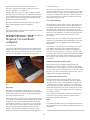
I am reviewing the Hewlett-Packard LaserJet Pro P1560 Series
desktop laser printer which is part of a range of monochrome
laser printers offered by HP for “quick-form-turnout” applications
like invoices or health-insurance forms at a medical clinic.
Once underway with a print job, it took four seconds to print
each page and wasn’t running very hot. This is even though I ran
a copy of the PDF user manual as a large “reliability-test” print
job. There may have been some steam coming out of the output
slot but this may be to do with moisture buildup in the machine
which had been unpacked shortly before this print run.
The printer has an automatic “energy-save” function where it
3