1
Linksys E800
Contents
Contents
Product overview
Package contents . . . . . . . . . . . . . . . . . . . . . . . . . . . . . . 1
Features . . . . . . . . . . . . . . . . . . . . . . . . . . . . . . . . . . . . 1
Back view
Bottom view
2
2
Setting Up: Basics
How to create a home network . . . . . . . . . . . . . . . . . . . . . 3
What is a network?
How to set up a home network
3
3
Where to find more help . . . . . . . . . . . . . . . . . . . . . . . . . 3
How to set up your router . . . . . . . . . . . . . . . . . . . . . . . . . 3
How to start Cisco Connect
4
How to improve your wireless connection speed . . . . . . . . . . 5
How to test your Internet connection speed . . . . . . . . . . . . . 5
How to connect devices to your network . . . . . . . . . . . . . . . 6
How to connect a computer to your network
How to connect a printer
How to connect other devices
6
8
8
How to change your router’s name and password . . . . . . . . 10
Setting Up: Advanced
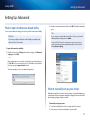
How to open the browser-based utility . . . . . . . . . . . . . . . 11
How to manually set up your router . . . . . . . . . . . . . . . . . 11
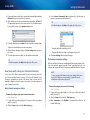
How to manually set up your Internet connection
How to find your network on the Internet . . . . . . . . . . . . .
How to clone a MAC address . . . . . . . . . . . . . . . . . . . . . .
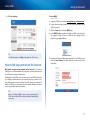
How to connect to your corporate office using a VPN . . . . . .
How to optimize your router for gaming and voice . . . . . . . .
How to remotely change your router settings . . . . . . . . . . .
How to enable Voice over IP on your network . . . . . . . . . . .
How to configure UPnP . . . . . . . . . . . . . . . . . . . . . . . . .
How to use a router as an access point . . . . . . . . . . . . . . .
How to put your new router behind an existing router . . . . .
To add your router to an existing router or gateway
To share an Internet connection
To extend your network
14
15
15
16
17
18
19
19
21
21
21
23
How to expose a device to the Internet . . . . . . . . . . . . . . . 23
Improving Security
How do I know if my network is secure? . . . . . . . . . . . . . . . 25
Network security following a manual setup . . . . . . . . . . . . 25
How to set up wireless security using Wi‑Fi Protected Setup . . 26
Wi-Fi Protected Setup activity light
Connecting a device using the Wi-Fi Protected Setup button
How to connect a device using its Wi-Fi Protected Setup PIN
How to connect a device using the router’s Wi-Fi Protected Setup PIN
How to connect a device manually
26
26
27
27
27
How to control access to your wireless network . . . . . . . . . . 28
How to improve security using the built-in firewall
29
12
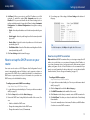
How to set up the DHCP server on your router . . . . . . . . . . 13
How to set up DHCP reservation
13
i