1
chapter 9 • using Ethernet
Tips and tricks about Explorer
Tip on using File helpers: If you're
having problems with other applications (like
QuickTime) suddenly starting when you're trying
to download files, check Explorer’s File Helpers
settings.
7.
Click and hold on an individual track you want
to download. Drag it to the desktop (or to a
folder). Tracks must be downloaded one at a
time (or see Tip on Using File Helpers, below).
If you simply click on a file, your browser may
attempt to download and open the audio to
play it from within the browser. Simply click
on the STOP icon of Explorer to stop this.
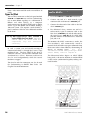
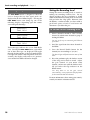
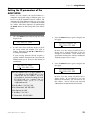
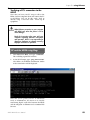
During a download, the display of the HD24 will
read:
FTP Transmitting
====
(XX%)
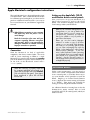
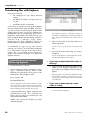
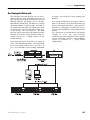
Whether you download an entire Song, or
individual tracks, open Explorer's Download
Manager window from the Tools menu. This
will show you the progress as files are
downloaded, and the current transfer speed.
When the Download Manager says
"Complete" and puts a checkmark next to the
track name (for individual tracks) or the AIFF
or WAV folder (for an entire Song), the
process is complete and you're ready to use
those files in another audio program.
ADAT HD24 Reference Manual
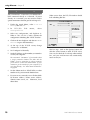
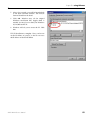
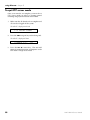
1.
Pull down Explorer's Edit menu and select
Preferences.
2.
Click on "File Helpers", under "Receiving
Files". (You may have to click on the arrow
next to "Receiving" to see this.)
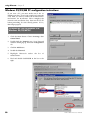
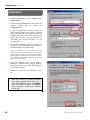
3.
Find the file helper for AIFF Sound, (there
may be several…try the one with the
extension ".aif", and MIME type audio/x-aiff)
and select it. If you're using WAV files, scroll
down the list to that (listed as "Windows
WAVF Sound").
4.
Click the "Change" button.
5.
At the bottom of the "Edit File Helper"
window, where it says "How to Handle", it
probably says "View with Browser". Change
that to "Save To File", and you can click on
multiple AIF files at once to download them.
While you're in the Preferences window, you
may want to check your Download Options so
that you can set the location for the downloads
and set how many happen at once.
"Last Modified": Since the HD24 does not
have a date and time stamping function, all of its
files will carry a date of Monday, Jan. 1, 2001,
regardless of when they were actually recorded.
That's simply a default setting…don't freak out.
When you download a file to the computer, it
will be stamped with the current date and time.
About using FTP download
software
Once you've gotten your feet wet, be aware that
download speeds may be increased many times
by using dedicated FTP software (see page 74).
The procedures for most software are similar to
that shown for the browser: simply click on a file
or folder and drag it to the destination.
85