1
Configuring IP Routing
Ascend Tunnel Management Protocol (ATMP)
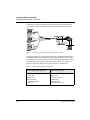
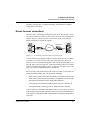
packet routing to reach the home network, it operates in router mode. It is in
gateway mode when it has a nailed connection to the home network.
A home agent can be an Ascend MAX or a Pipeline 50 or 130. When a Pipeline
is used as the home agent end point, only routing is supported.
Configuring a home agent in router mode
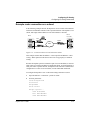
With the ATMP tunnel established between the home agent and foreign agent, the
home agent receives IP packets through the tunnel, removes the GRE
encapsulation, and passes the packets to its bridge/router software. It also adds to
its routing table, a host route to the mobile node.
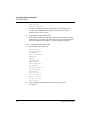
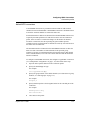
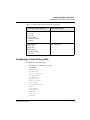
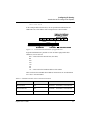
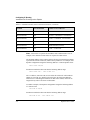
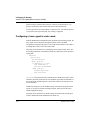
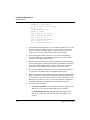
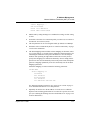
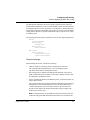
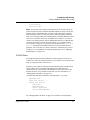
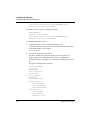
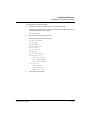
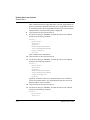
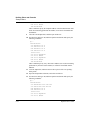
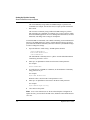
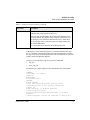
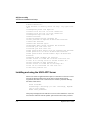
Following are the parameters for configuring a home agent in router mode. The
IPX routing parameters in the Ethernet profile are required only if the Pipeline is
routing IPX.
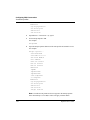
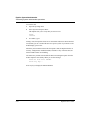
Ethernet
Mod Config
IPX Routing=Yes
Ether options…
IP Adrs=10.1.2.3/24
IPX Frame=802.2
IPX Enet #=00000000
ATMP options...
Password=private
UDP Port=5150
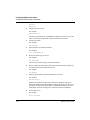
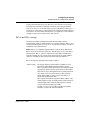
Password is the password used to authenticate the ATMP tunnel itself. It must
match the password specified by the Ascend-Home-Agent-Password attribute of
the mobile nodes’ RADIUS profiles. (All mobile nodes use the same password
for that attribute.)
ATMP uses UDP port 5150 for ATMP messages between the foreign and home
agents. If you specify a different UDP port number, make sure that the entire
ATMP configuration agrees.
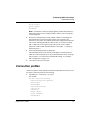
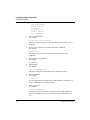
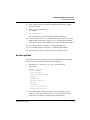
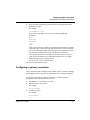
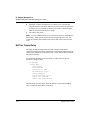
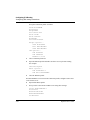
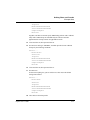
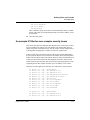
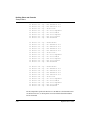
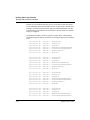
Following are the parameters for the IP routing connection to the foreign agent,
which is authenticated and established in the usual way:
2-38 Preliminary January 30, 1998
Pipeline User’s Guide