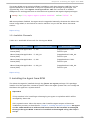
1
Chapt er 6 . Inst alling t he Agent from RPM
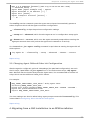
RHQ 4.4.0.JON311GA [6910991] (Wed Aug 01 18:43:03 EDT 2012)
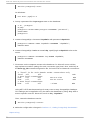
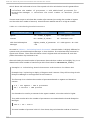
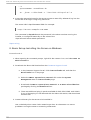
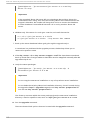
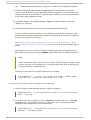
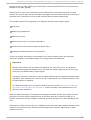
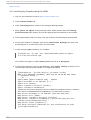
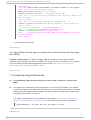
** Advanced Setup **
Agent Name [agent.example.com] : agent1
Agent Hostname or IP Address [!*] :
Agent Port [16163] :
Agent Transport Protocol [socket] :
... 8< ...
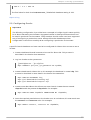
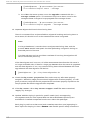
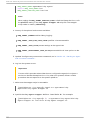
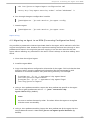
The co nfi g service command opens the agent start script and automatically passes a
series of options which edit the agent connection configuration:
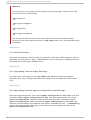
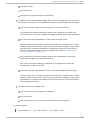
--cl eanco nfi g , to wipe the previous configuration settings
--setup and --ad vanced , which force the agent to run its configuration setup again
--d aemo n and --no start, which runs the agent command prompt without starting the
agent process and then exits (so that the agent can be started as a service)
So, the servi ce jo n-ag ent co nfi g command is equivalent to starting the agent with all
those options:
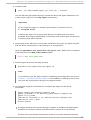
rhq-agent.sh --cleanconfig --setup --advanced --daemon --nostart
Report a bug
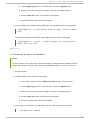
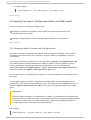
3.2. Changing Agent JVM and Ot her Init Configurat ion
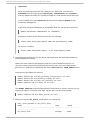
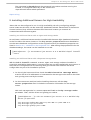
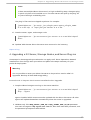
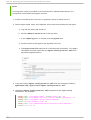
After the agent is configured, optional JVM settings (the persisted configuration) are set in
the init script, /etc/i ni t. d /jo n-ag ent file, or in the environment script, rhq -ag entenv. sh. Both files are loaded every time the agent starts; it is recommended to edit the init
script, which sets the additional JAVA_OPTS values.
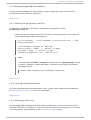
For example:
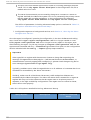
RHQ_AGENT_ADDITIONAL_JAVA_OPTS="-Drhq.agent.datadirectory=$RHQ_AGENT_DATA_DIR Djava.util.prefs.userRoot=$RHQ_AGENT_PREFS_DIR -Xms64m -Xmx128m Djava.net.preferIPv4Stack=true"
export RHQ_AGENT_ADDITIONAL_JAVA_OPTS
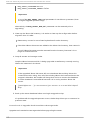
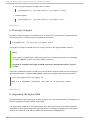
The Java settings can also be edited using agent prompt commands like setco nfi g . This
is described in Configuring JBoss ON Servers and Agents.
Report a bug
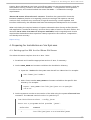
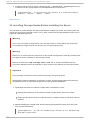
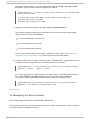
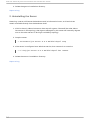
4 . Migrat ing from a JAR Inst allat ion t o an RPM Inst allat ion
85