1
BRUNTON MAN. MECH. 7/97
9/29/98 9:09 AM
Page 18
CHANGING BATTERIES
DAMPING MENU OPTION
The Outback must be in Damping to use any of the features described in this
section.
FEATURES
Tilting or jarring a compass can create errors in the compass heading because it
shakes the magnetic sensors inside the compass. In Damping, the Outback
averages the compass headings to minimize the effects of errors in individual
headings. This is useful when there is erratic movement, such as in a boat. The
selected damping value is used for every heading reading in all menu options.
Damping can be set 0 to 9, with 0 being no damping and 9 being maximum
damping. The chosen value for damping is shown in the display word when
damping is first selected. (Example: ÒdP5Ó) The default damping value is 5,
meaning there is moderate damping.
CHOOSING A DAMPING VALUE:
1) The Outback must be in Damping to choose a damping value.
2) Press ADVANCE to step from one damping value to the next until you see the
one you want to use, then press ENTER. Choose 0 for no damping, 1 for a
little damping and so on, up to 9 for maximum damping.
3) The chosen damping value does not flash when in the display word. Any value
which is not the chosen value, flashes when in the display word.
4) If you do not press ENTER while viewing a damping value, the Outback uses
the value which was previously selected. (Example: If the damping value is
currently 5, and you scroll through the damping values by pressing
ADVANCE, and ENTER is not pressed while viewing a different damping
value, the Outback continues to use 5 as the damping value)
Battery life of the Outback is approximately 200 hours, depending on usage. Night
Navigation and the LCD backligh take significantly more power than the
compass alone. Therefore to maximize battery life, use Night Navigation and
backlighting only when necessary. Also, turning the power off when not using the
Outback and setting on auto shut-off value is highly recommended.
The Outback uses 2 lithium coin cell batteries, #2032. These are common
batteries and are available anywhere watch, camera, calculator or hearing aid batteries
are sold such as Radio Shack, Walmart, Target or Kmart.
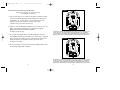
CHANGING BATTERIES
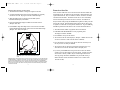
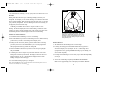
1) When the display word shows ÒbAT LOÓ, the batteries need to be changed.
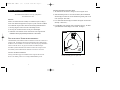
2) To remove the batteries, turn the compass upside down.
3) Turn the battery door counterclockwise from the lock to open position, until it
can easily be removed.
4) Gently take out the old batteries and discard.
5) Place one new battery into the battery compartment with the positive side
toward the battery door.
6) Place the other battery on top of the previously inserted battery, with the
positive side toward the battery door.
7) Replace the battery door and turn clockwise from the open to lock position.
8) When the batteries are first inserted, the Outback will go through a test pattern,
momentarily illuminating all the LCD segments.
9) Turn the Outback right side up and press power. If the Outback does not turn on,
remove the batteries and re-insert them. Both batteries must make contact for the
power to turn on.
10) Since the batteries have been removed, it is necessary to calibrate the Outback.
31
32