1
EPSON PowerLite 5300/7200/7300 Projector
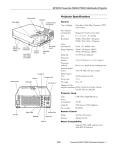
Mechanical
Projector Placement Guidelines
Height
5.1 inches (130 mm), including feet
Width
11.8 inches (300 mm)
Depth
14.3 inches (363 mm), including lens
Weight
13.8 lb (6.2 kg)
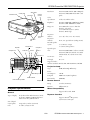
To get the best results when projecting your images, it is
important to position the projector at the proper height and
distance relative to the screen.
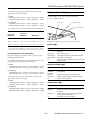
When projecting from a table or desk, place the projector so
the lens is aligned as closely as possible with the bottom of
your screen:
Electrical
Rated frequency
50/60 Hz
Power supply
100 to 120 VAC, 2.4 A
200 to 240 VAC, 1.2 A
Power
consumption
Operating: 200 W
Standby: 8.4 W
Environmental
Temperature
Operating: 41 to 104° F (5 to 40° C),
non-condensing
Storage: 14 to 140° F (–10 to 60° C),
non-condensing
Humidity
Operating: 20 to 80% RH,
non-condensing
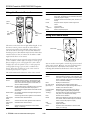
When projecting from the ceiling, align the lens as closely as
possible with the top of your screen:
Storage: 10 to 90% RH,
non-condensing
Safety
United States
FCC Part 15J Class B
UL1950 Rev. 3
Canada
DOC SOR/88-475
CSA C22.2 No. 950 Rev. 3
Supported Monitor Displays
Here are the display formats supported by the projector:
Computer type
Formats
Resolutions
IBM PC and
IBM PC compatible
EGA, VGA EGA
VGA CGA
VGA60, VESA
VGA Text
VGA Text
SVGA
XGA
SXGA
SXGA
SXGA
640 × 350
640 × 400
640 × 480
720 × 350
720 × 400
800 × 600
1024 × 768
1152 × 864
1280 × 960
1280 × 1024
Apple Macintosh
Standard 8- and
24-bit color monitor
640 × 480
832 × 624
1024 × 768
1152 × 870
TV
NTSC,
PAL, SECAM
Calculating Image Size and Projection
Distance
The distance between the projector and the screen determines
the actual image size. To determine the exact distance required
for a particular image size (or to determine the size of an image
at a particular distance), use the following formulas.
(Remember that the size of the image can be changed by
rotating the zoom ring.)
To determine the minimum and maximum diagonal size of an
image when you know the projection distance:
❏ Inches:
Maximum diagonal size = (0.6124 × projection distance) + 1.5264
Minimum diagonal size = (0.4556 × projection distance) + 1.1410
640 × 480
768 × 618
❏ Centimeters:
Maximum diagonal size = (0.6124 × projection distance) + 3.8771
Minimum diagonal size = (0.4556 × projection distance) + 2.8981
Note: The frequencies of some computers may not allow the image
to be displayed correctly.
2 - EPSON PowerLite 5300/7200/7300 Projector
1/99