1
SAMPLE SYSTEM CONFIGURATIONS
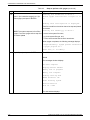
Table 3-4.
Sample configurations (continued)
Option
Description
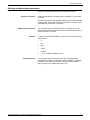
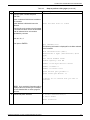
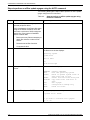
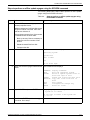
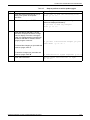
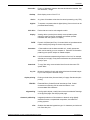
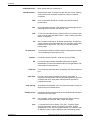
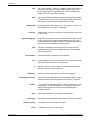
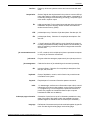
10) Language
Displays the following suboptions:
0)
NONE
1)
U.S. ENGLISH
2)
U.K. ENGLISH
3)
GERMAN
4)
FRENCH
5)
DUTCH
6)
SWEDISH
7)
NORWEGIAN
8)
FINNISH
9)
DANISH
10) SPANISH
11) ITALIAN
12) PORTUGUESE
Selecting NONE results in no change from the default language, which is
U.S. English.
The display dialogue of the newly generated system will be in the
language that you select. (Languages other than those listed above are
also available. The suboption list reflects what is on the system software
tape or floppy disk.)
The only difference between the U.K. English and U.S. English language
options is that:
•
•
U.K. English displays paper sizes in millimeters.
U.S. English displays paper sizes in inches.
Of the other language suboptions, only French, German, and Spanish are
currently translated. U.S. English messages are displayed if a sysgen is
performed in any of the other languages.
The customer must insure that the proper language is installed on the
ESS and IOT. The selection of the language icon on the PC UI does not
switch the language on the ESS or on the IOT. The PC UI and IOT may
have one or two languages installed. The ESS may be sysgened to one
language although commands in English are always accepted.
XEROX DOCUPRINT 180 LPS SYSTEM GENERATION GUIDE
3-5