1
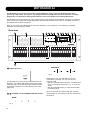
MOTOFADER 64
Store/Recall via Motofader 64
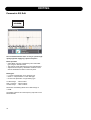
It is possible to store and recall Channel and Scene
presets via the Motofader 64. These functions are
particular useful e.g. when EQing wedges while standing in
front of them.
Presets can be loaded and handled ONLY to and
from the physical EQ Station unit that the Motofader
64 is connected to.
Step by step:
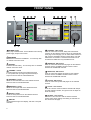
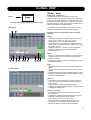
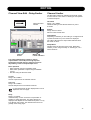
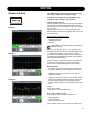
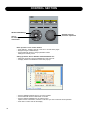
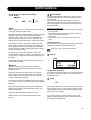
• Press HOME to enter the preset handling features.
• Use the two CURSOR keys to select function and the
ADJUST wheel to set value.
• To confirm functions - press OK.
The functions are:
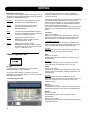
- Preset Folder - select in which folder you wish to store or
recall from. This is the folder in which all of the following
operations are handled.
Scene Recall
<Preset1
>
- Scene Store - as with the Channel Store function you
have two options: Either overwrite an existing preset in
the selected folder or select the auto generated new
preset. Auto-generated presets are labeled “ScPresetxx”
where xx is a number in line based on which presets
already exist in the folder.
If e.g “ScPreset10” exist the next Auto-generated name
is “ScPreset11”.
Auto-generated presets names can be corrected later
from the EQ Station where the preset are stored.
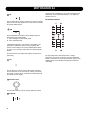
Example:
Scene Store
<ScPreset1
>
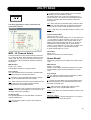
Example:
Preset Folder
<Default
>
As new presets cannot be renamed from the
Motofader you may see the advantage of preparing
preset names on the EQ Station before setting up
presets when equing wedges.
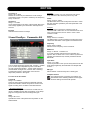
- Channel recall - select which Channel preset you wish to
recall into the currently recalled channel.
Example:
Ch3
Ch. Recall
<ChPreset1
>
- Channel Store - you have two options: Either overwrite
an existing preset in the selected folder or select the auto
generated new preset. Auto-generated presets are
labeled “ChPresetxx” where xx is a number in line based
on which presets already exist in the folder.
If e.g “ChPreset10” exist the next Auto-generated name
is “ChPreset11”.
Auto-generated presets names can be corrected later
from the EQ Station where the preset are stored.
Example:
Ch3
Ch. Store
<ChPreset6
>
- Scene Recall - select which scene to recall within the
selected preset folder.
47