1
Chapter 5 Configuring a Typical Application
Installation and Operation Manual
Pseudowire Gateway
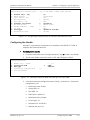
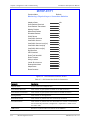
Config>Connection>Connection configuration -
|
v
|
|
v
Connection state
Source CBID
Dest CBID
Payload format
TDM frame in packet
Jitter buffer in Ms[0-200]
OAM connectivity
Payload type
Far end type
OOS L bit mode
Destination IP
Network slot port
Next hop
IP TOS
Adaptive clock
VLAN tagging
(BUNDLE 1)
Enable
16
15
V2
8
15
Disable
Data
E1
TX OOS and L bit
10.10.10.2
6/1
0.0.0.0
0
Disable
Disable
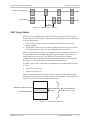
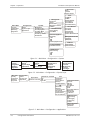
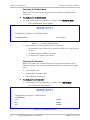
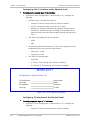
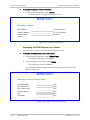
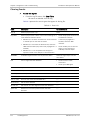
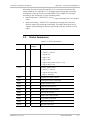
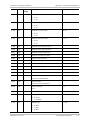
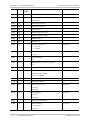
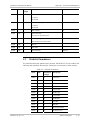
Figure 5-15. Configuring the Gmux-2000 Bundle Parameters
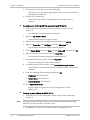
Connecting the E1 Port to the Bundle
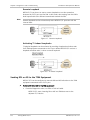
Now associate the bundle with the E1 port 1 of the E1-PW/28 installed in I/O
slot 1 by specifying the just-configured bundle index number.
³
To connect the E1 port to the bundle:
•
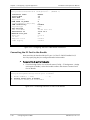
From the Assign Entire Port to Bundle menu (Config > TS Assignment > Assign
entire port to bundle), select the bundle number and choose Connect Entire
Port to Bundle.
Pseudowire Gateway
Config>TS Assignment>Assign entire port to bundle
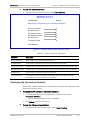
1. Bundle number[1 - 2000]
... (1)
2. Connect entire port to bundle
3. Disconnect entire port from bundle
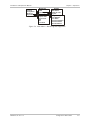
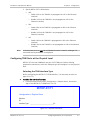
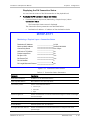
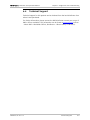
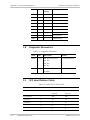
Figure 5-16. Connecting the Entire E1 Port to the Bundle
5-10
Configuring Gmux-2000
MiTOP-E1/T1 Ver. 1.0