1
Contents
CHAPTER 1: PRODUCT DESCRIPTION AND SPECIFICATIONS .................................................................5
PRODUCT DESCRIPTION ..............................................................................................................................................5
Package Contents ...................................................................................................................................................5
Interfaces................................................................................................................................................................5
Parts to be Supplied by Wireless Service Provider ................................................................................................5
Parts to be Supplied by End User ..........................................................................................................................5
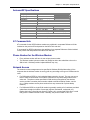
Antenna/RF Specifications .....................................................................................................................................6
AT Command Info ..................................................................................................................................................6
Phone Number for the Wireless Modem.................................................................................................................6
Network Access.......................................................................................................................................................6
Features..................................................................................................................................................................7
APPLICATION OVERVIEW ............................................................................................................................................8
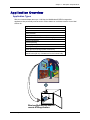
Application Types ...................................................................................................................................................8
Benefits/Features in Applications...........................................................................................................................9
Functions – GSM Modes ......................................................................................................................................10
SPECIFICATIONS ........................................................................................................................................................11
General Specifications ......................................................................................................................................11
Electrical Characteristics ..................................................................................................................................11
Current Requirements ..........................................................................................................................................11
LED Indicators.....................................................................................................................................................12
CHAPTER 2: INSTALLATION..............................................................................................................................13
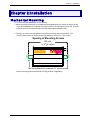
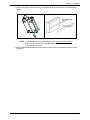
MECHANICAL MOUNTING .........................................................................................................................................13
INSERTING SIM/R-UIM CARD INTO HOLDER (GSM ONLY) ....................................................................................15
CONNECTING THE ANTENNA .....................................................................................................................................16
INSTALLING SOFTWARE ............................................................................................................................................17
WINDOWS XP/2003 ..................................................................................................................................................17
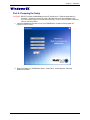
Part A: Preparing the Setup.................................................................................................................................17
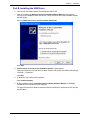
Part B: Installing the USB Driver ........................................................................................................................18
Part C: Associating PC Port with USB Driver ....................................................................................................19
Part D: Installing the Modem INF File................................................................................................................20
WINDOWS 2000 ........................................................................................................................................................21
Part A: Preparing the Setup.................................................................................................................................21
Part B: Installing the USB Driver ........................................................................................................................22
Part C: Associating PC Port with USB Driver ....................................................................................................24
Part D: Installing the Modem INF File................................................................................................................25
WINDOWS 9X ...........................................................................................................................................................26
Part A: Preparing the Setup.................................................................................................................................26
Part B: Installing the USB Driver ........................................................................................................................27
Part C: Associating PC Port with USB Driver ....................................................................................................28
Part D: Installing the Modem INF File................................................................................................................28
CONNECTING THE OPTIONAL HANDSET ....................................................................................................................29
MOBILE PHONETOOLS...............................................................................................................................................29
VERIFYING SIGNAL STRENGTH .................................................................................................................................29
VERIFYING NETWORK REGISTRATION ......................................................................................................................29
TESTING THE CONFIGURATION .................................................................................................................................30
CHAPTER 3: TROUBLESHOOTING ...................................................................................................................31
TROUBLESHOOTING EXAMPLES ................................................................................................................................31
Situation A: The modem always returns «Error» when trying to issue a communication ...................................31
Situation B: The modem always returns «No carrier» when trying to issue a communication ...........................32
GSM/GPRS GENERAL FAQ.....................................................................................................................................33
GSM/GPRS FAQ ON THE IP STACK .........................................................................................................................35
FAQ FOR MOBILE PHONETOOLS V2.1 ......................................................................................................................36
CHAPTER 4: SAFETY ............................................................................................................................................37