1
MAKING YOUR OWN PROGRAMS (W640, W650 AND W660)
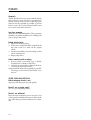
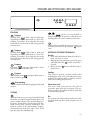
Emptying
Selected in combination with Spin dry Off. The
wash program then finishes with the final rinse
water still in the machine.
This is a good choice if you are doing delicate
washing and cannot take the washing out immediately after the wash program has finished. The
washing will then remain floating in the rinse
water and not get creased.
To then empty the machine you can either run
button.
the Emptying program or press the
If you want the washing to be spin dried, you can
also run the Spin dry program.
1. Use the
buttons to decide whether
you want Emptying On or Off.
2. Confirm and save your choice by pressing the
button once.
Now you have gone through all the Options.
SHORT CUT
If you don’t want to make changes in all of the
menu headings for your program, you can skip
the ones where you don’t want to make changes.
To go to the next heading, without changing
anything in the heading where you are now, press
the
button once. In this case the settings of
the heading you are leaving will not be changed.
Menu
IMPORTANT
This applies to the main menu headings. If you
are in the Options headings, you have to confirm
the present setting by pressing the
button before going on to the next Option heading.
Enter
Enter
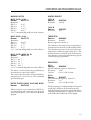
RINSE SENSOR (W660)
A good rinse result is especially important for
people with sensitive skin, for example people
who are allergic, and babies.
The sensor ensures that the machine rinses all detergent residue out of the washing. It does this
without using unnecessarily large amounts of rinse
water.
Cannot be selected for the Fast and Minimum
wash programs.
button once.
1. Press the
2. Use the
buttons to decide whether
you want the Sensor program On or Off.
3. Confirm and save your choice by pressing the
button once.
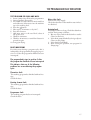
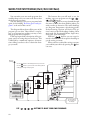
RESTORING THE PRESET PROGRAM
You can always restore the preset wash program.
Do this:
1. Press and hold down the button for the program you want to restore.
2. Keeping the program button pressed in, press
the
button as well.
3. Let go of both buttons. The preset program
is now restored.
Enter
Menu
Enter
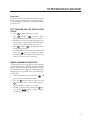
You have now made your own wash program and
saved it.
Next time you want to run this wash program
you only need to press the program button you
chose when you made the new settings.
85